Publish the Plan
After reviewing and validating your changes, you can proceed with Git Actions. Publish updates to a separate branch, create a pull request, and track the status directly through Artemis.
1. Publish Changes
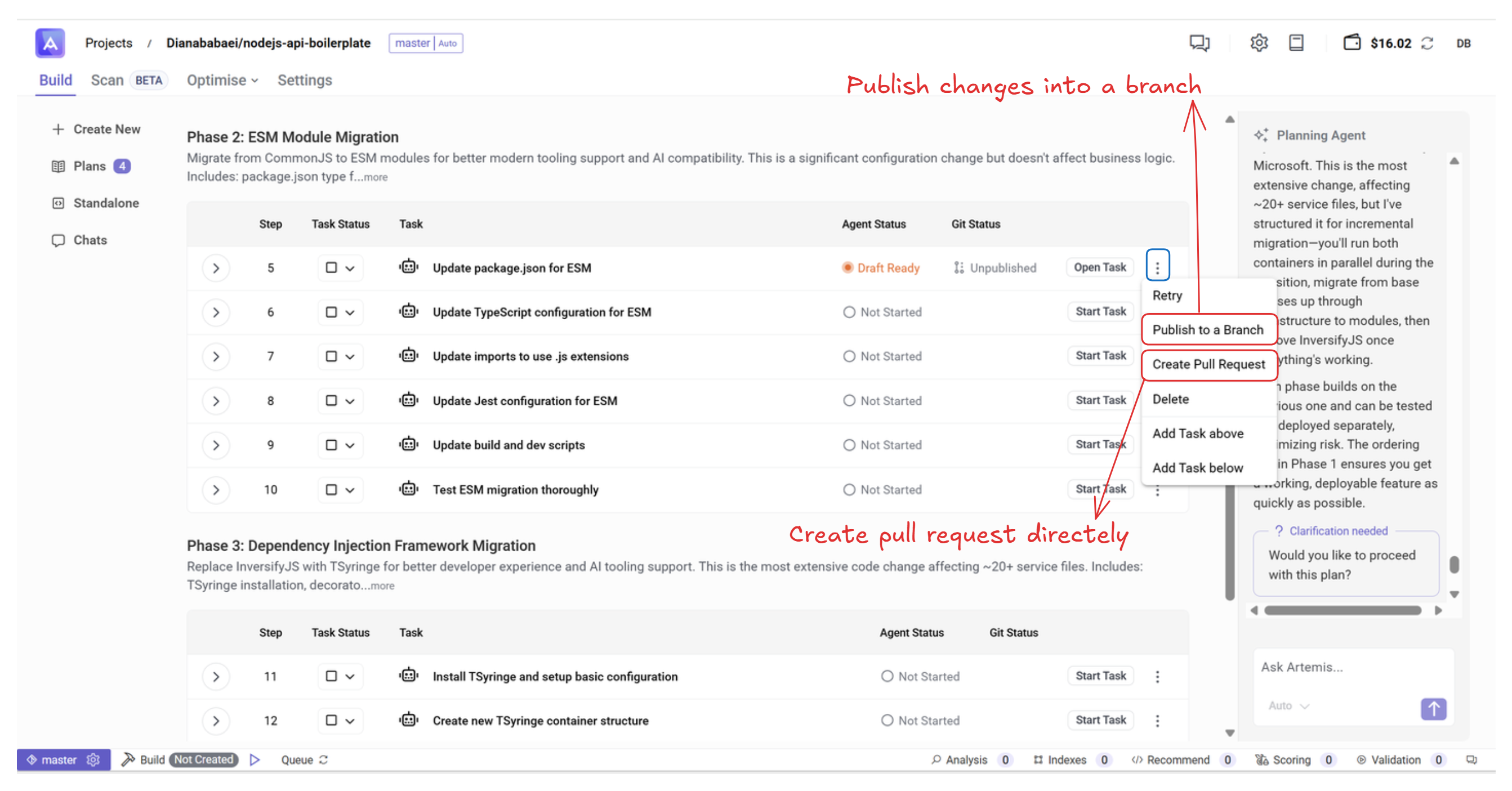
To publish the changes for the current task:
- Click the ⋮ menu.
- Select Publish Change or Create Pull Request.
- Review the auto-generated descriptions.
- Click Publish Change or Create Pull Request to finalize.
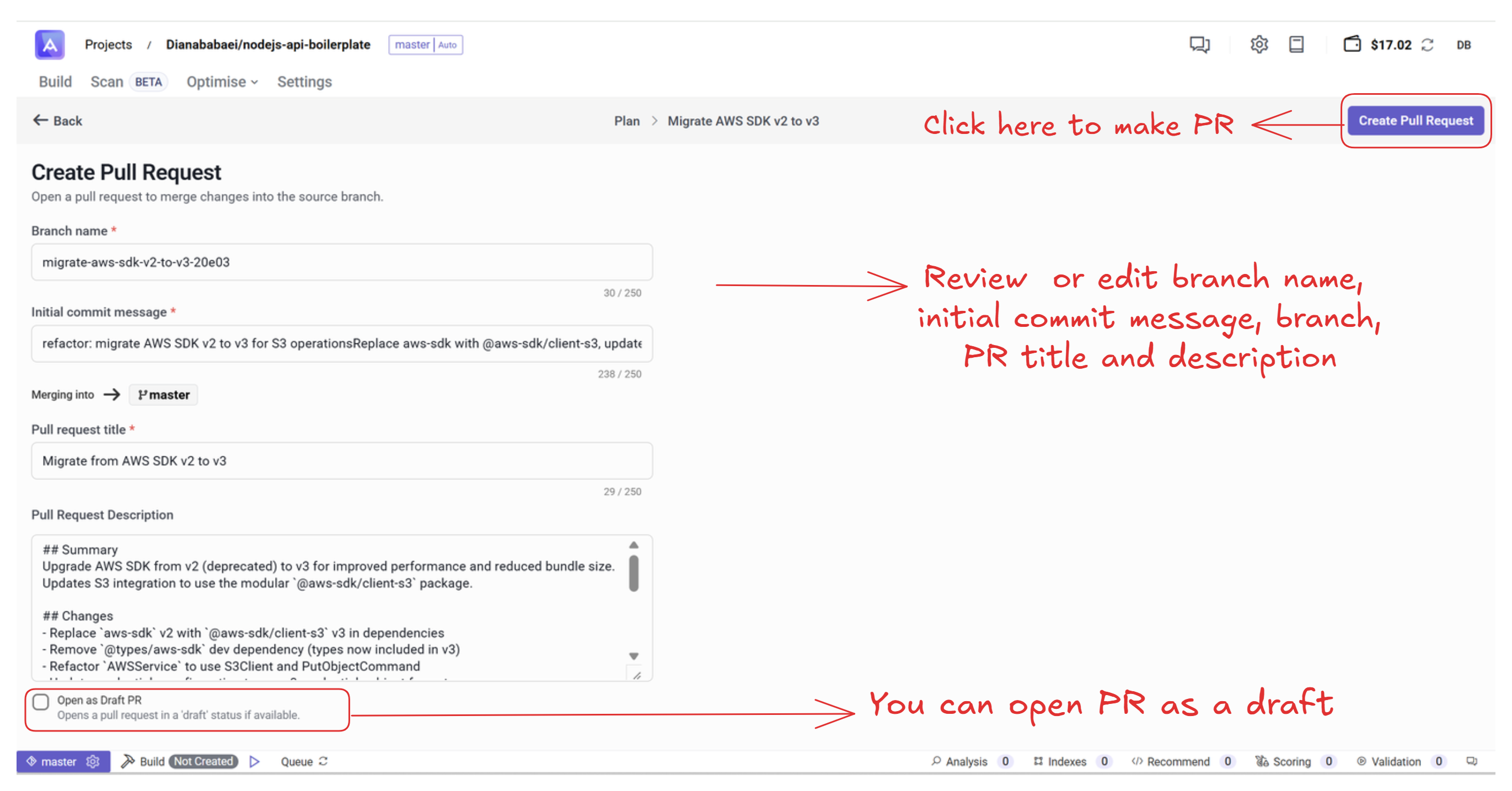
If you choose Create Pull Request:
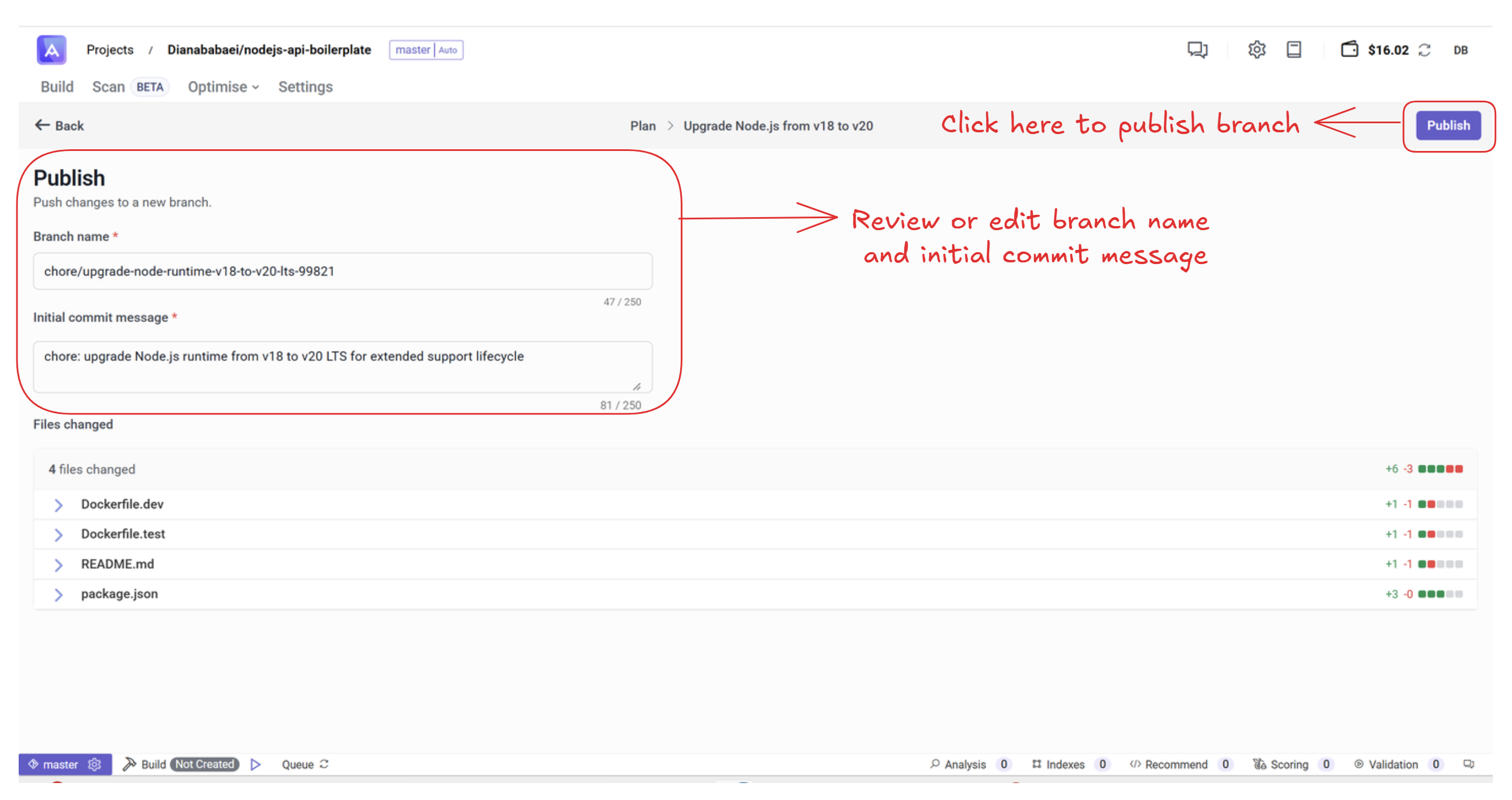
If you choose Publish Change:
2. View Pull Requests
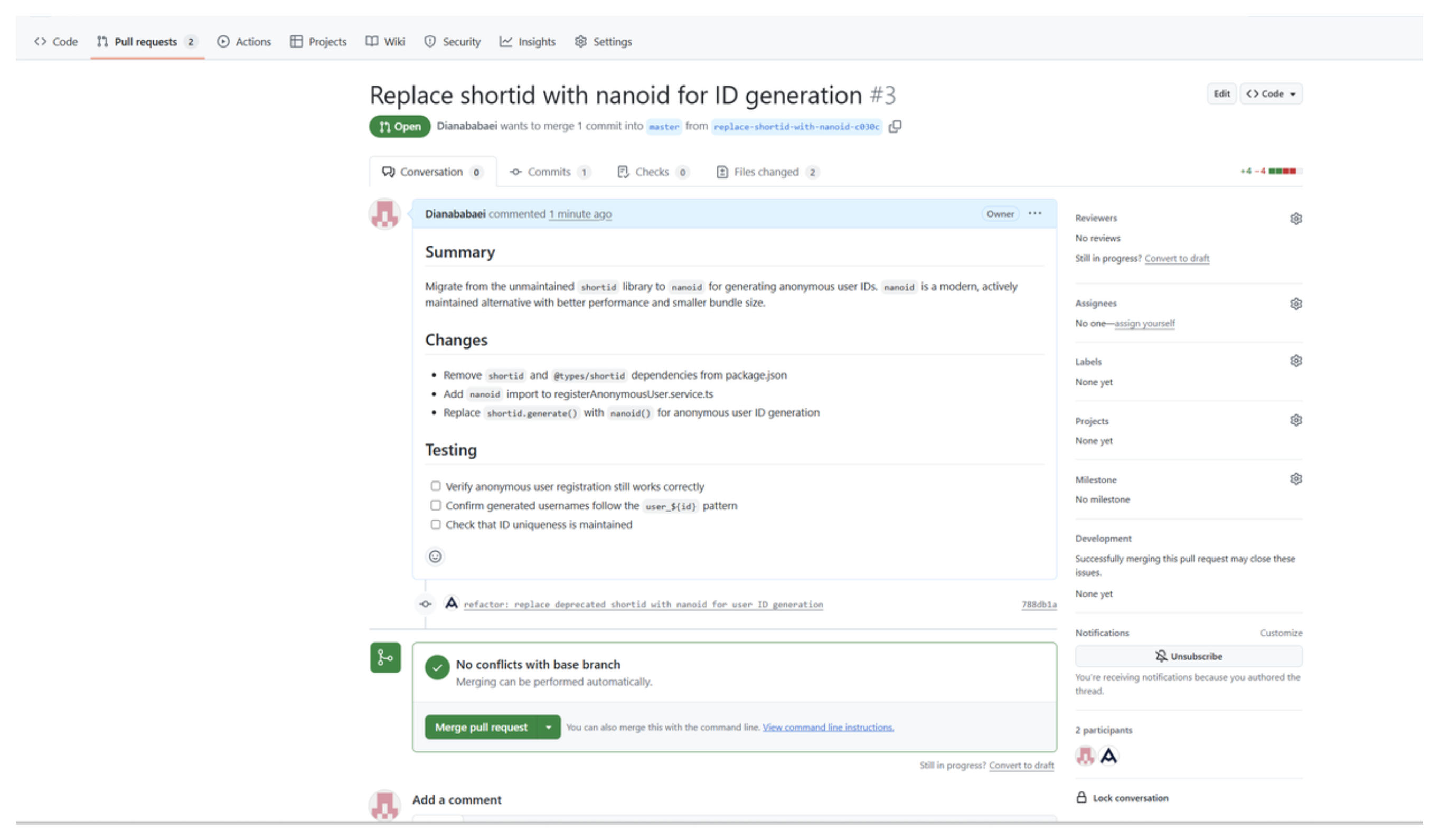
All generated pull requests appear in your GitHub repository as usual. You can review, comment, or merge them from GitHub’s interface.
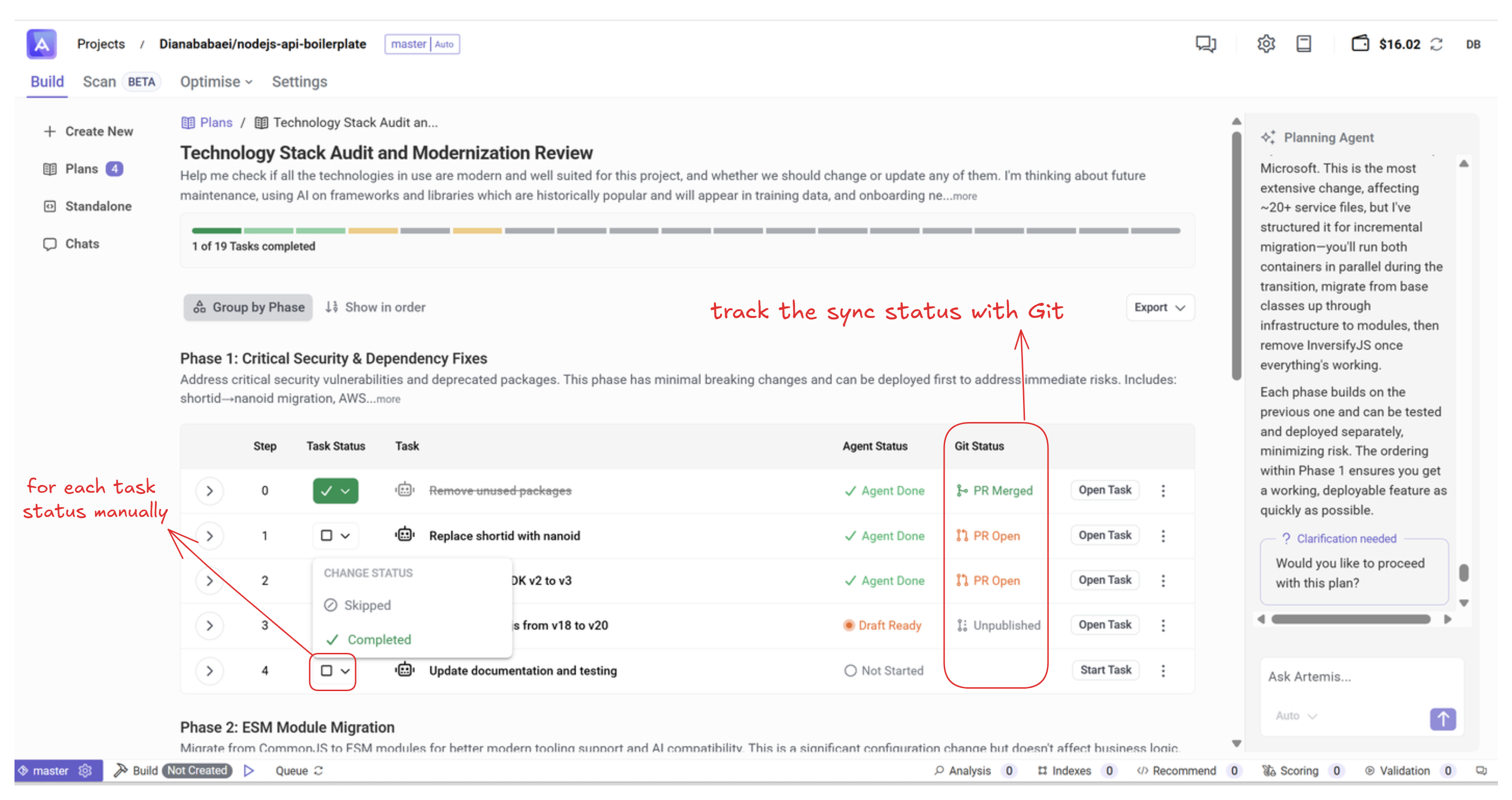
3. Automatic Git Synchronization
Artemis continuously synchronizes with your repository. When a pull request is merged or closed in GitHub, the corresponding task status is automatically updated inside Artemis.
Once all subtasks are published and merged, your plan is complete. Congratulations! 🎉