Build and Validate the Plan
1. Choose How to Execute Subtasks
You can execute subtasks in two different ways:
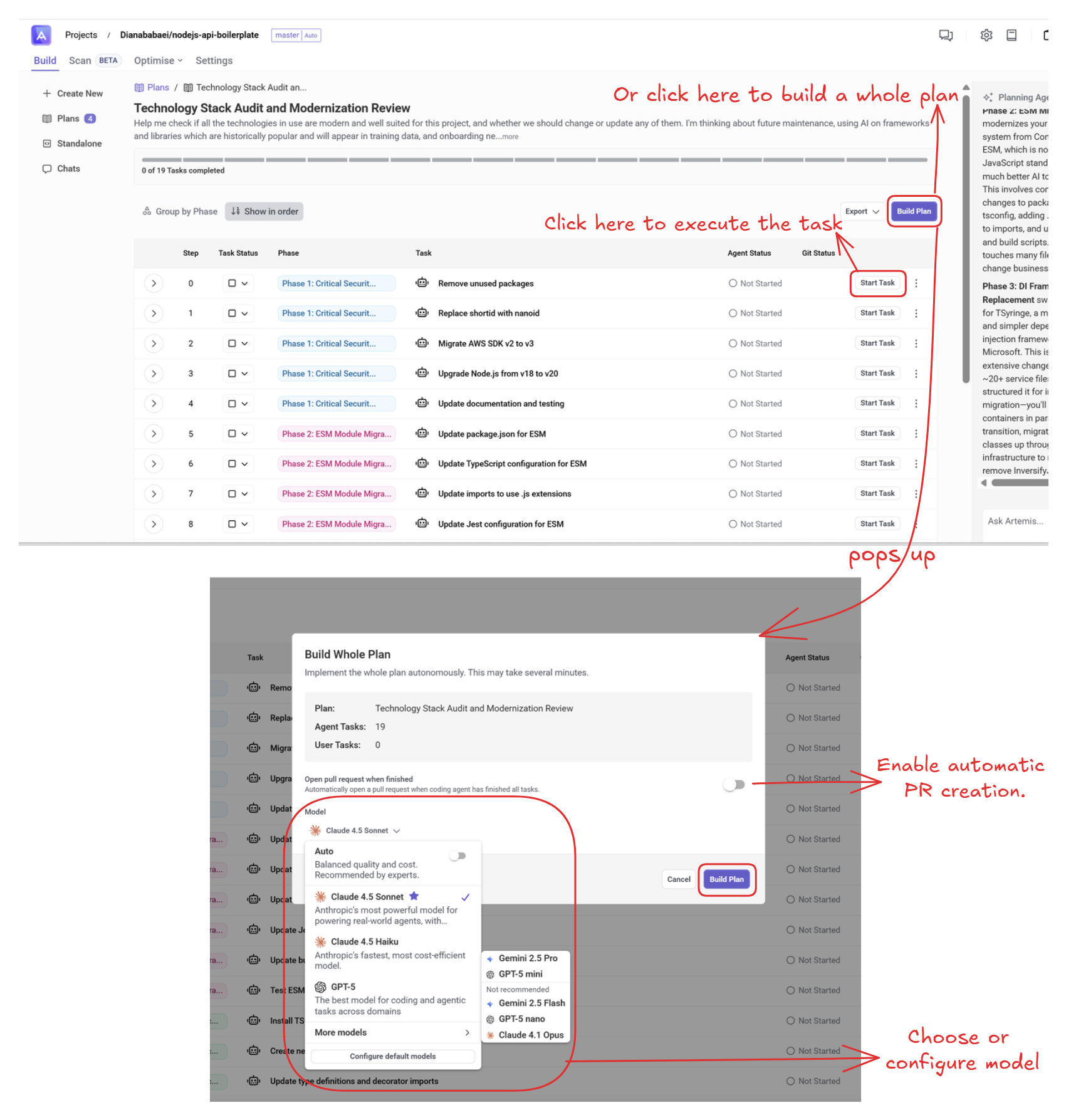
A. Run tasks using the Artemis Agent (sandbox environment)
Choose your preferred execution mode:
-
Task-by-Task Build
Click Start Task on any individual task. You can begin with the first task and run others in parallel whenever there are no dependencies. -
Full Plan Build
Click Build Plan to run all Agent-assigned tasks in a complete automated workflow.
B. Run the Plan Using an External AI Coding Tool
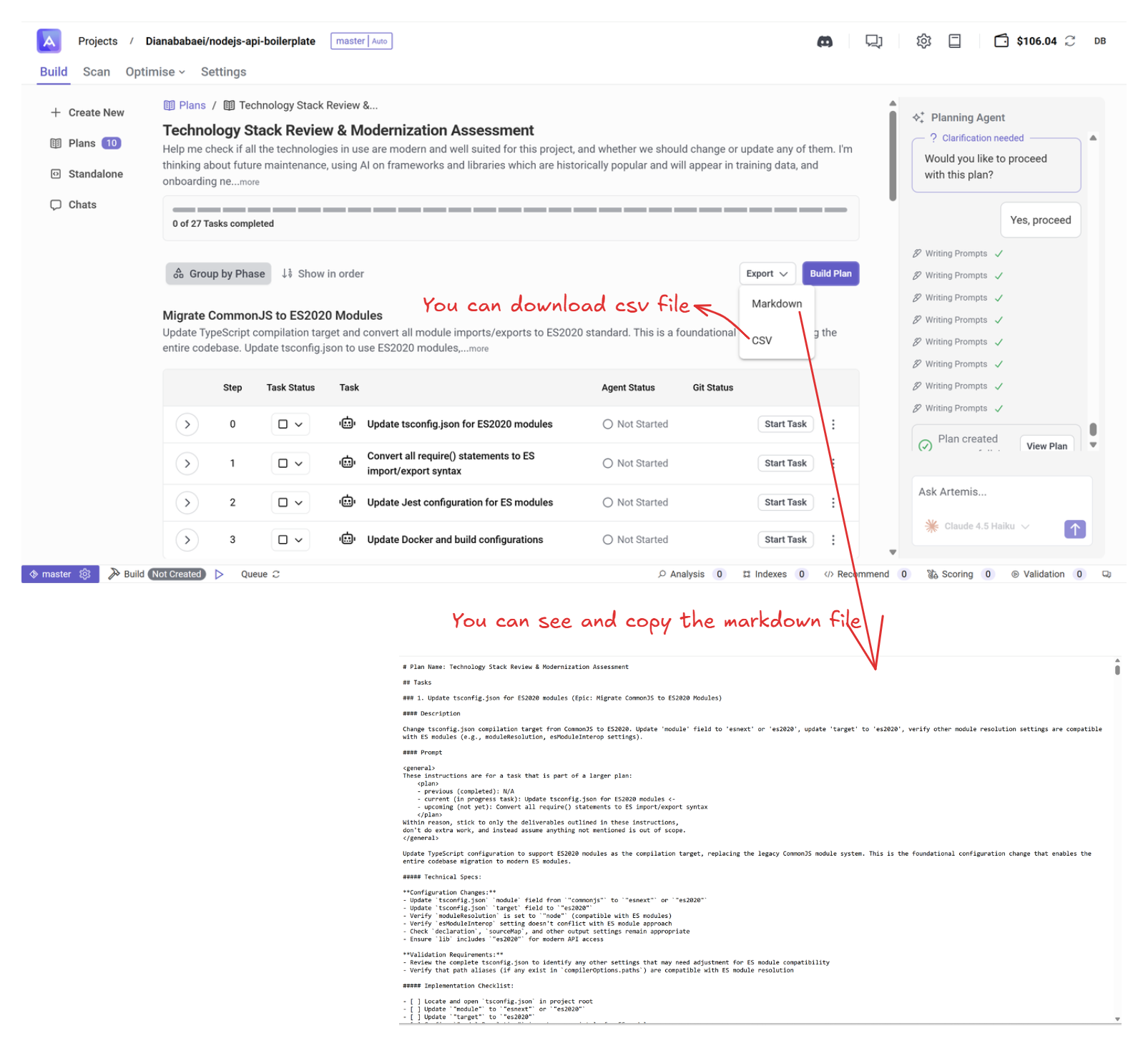
If you prefer to implement the plan outside the Artemis sandbox, you can export the tasks and run them using your preferred AI coding environment (e.g., Claude Code, Cursor, Windsurf).
You can do this in two ways:
1. Import the Entire Plan
- View the plan as a Markdown file.
- Move it into your local project repository.
- In your external AI tool, instruct it to: "Start working through the plan in @document."
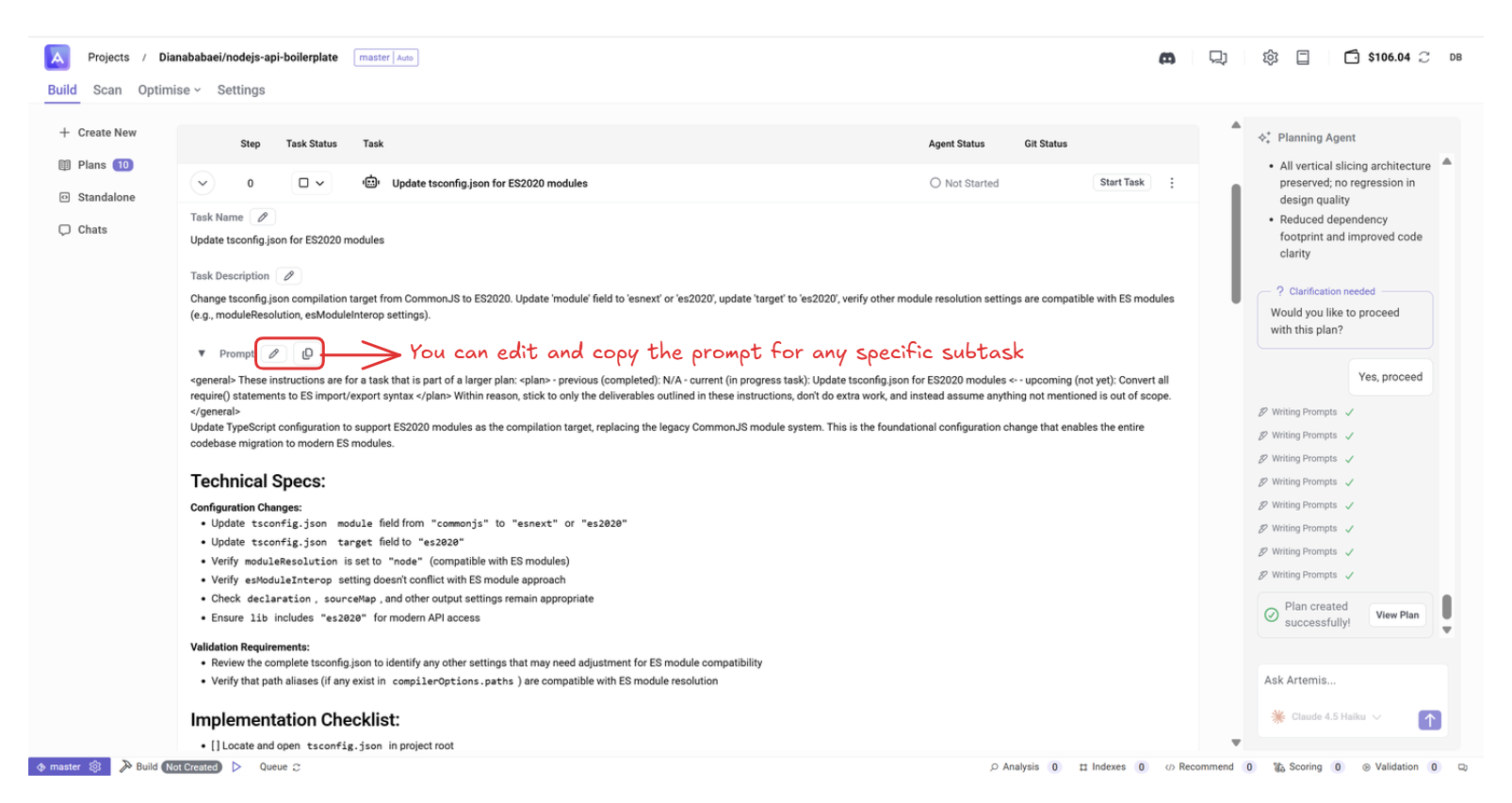
2. Copy and Run Individual Subtask Prompts
- Copy the prompt of any subtask you want to execute.
- Paste it into your local repository or coding tool.
- Tell your agent to: "Implement this subtask based on the prompt."
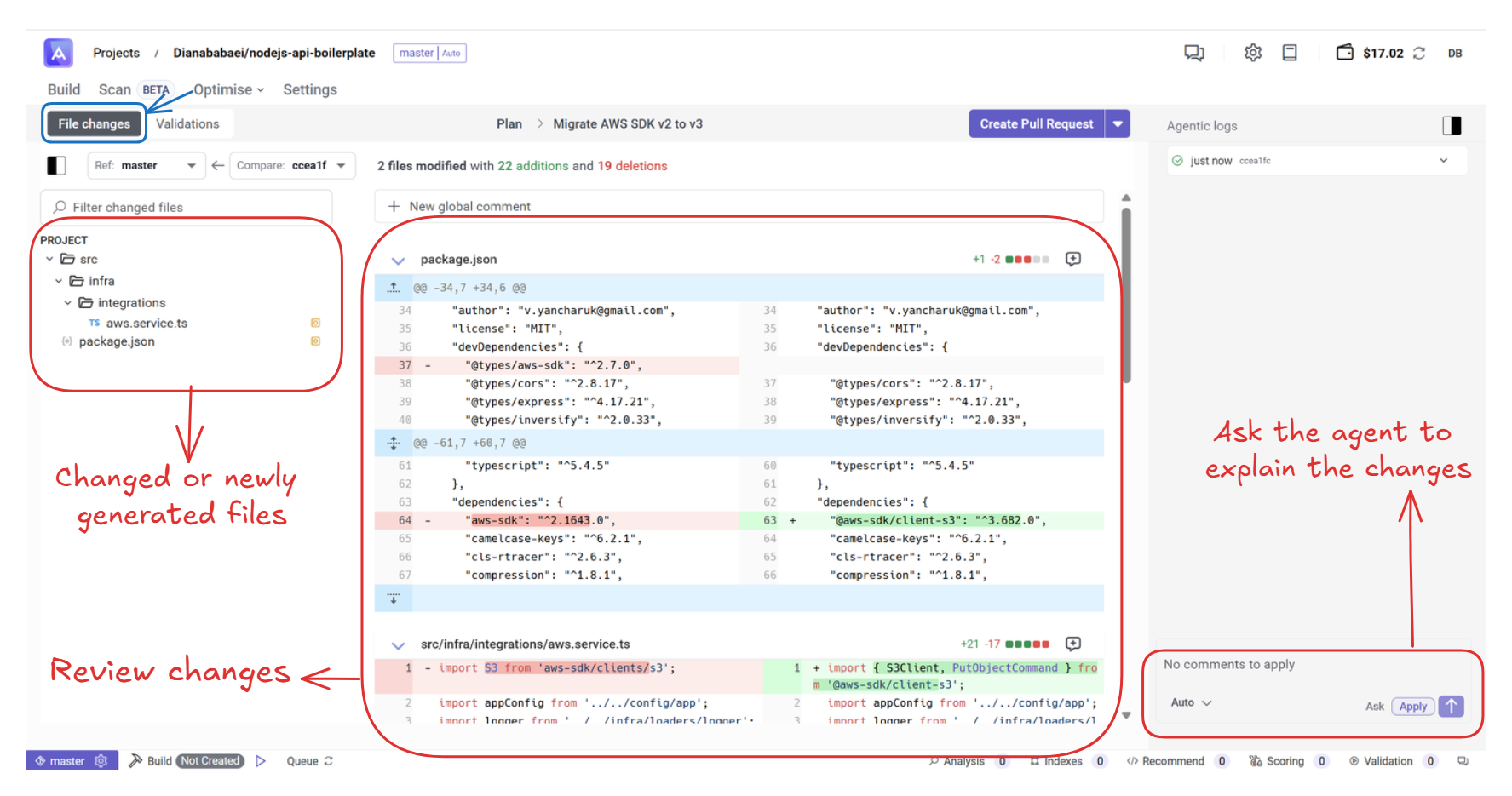
2. Review Changes
Once a task is drafted, click Open Task to view details. You can inspect the proposed changes, ask the Agent questions, and review everything before proceeding.
3. Validate Changes
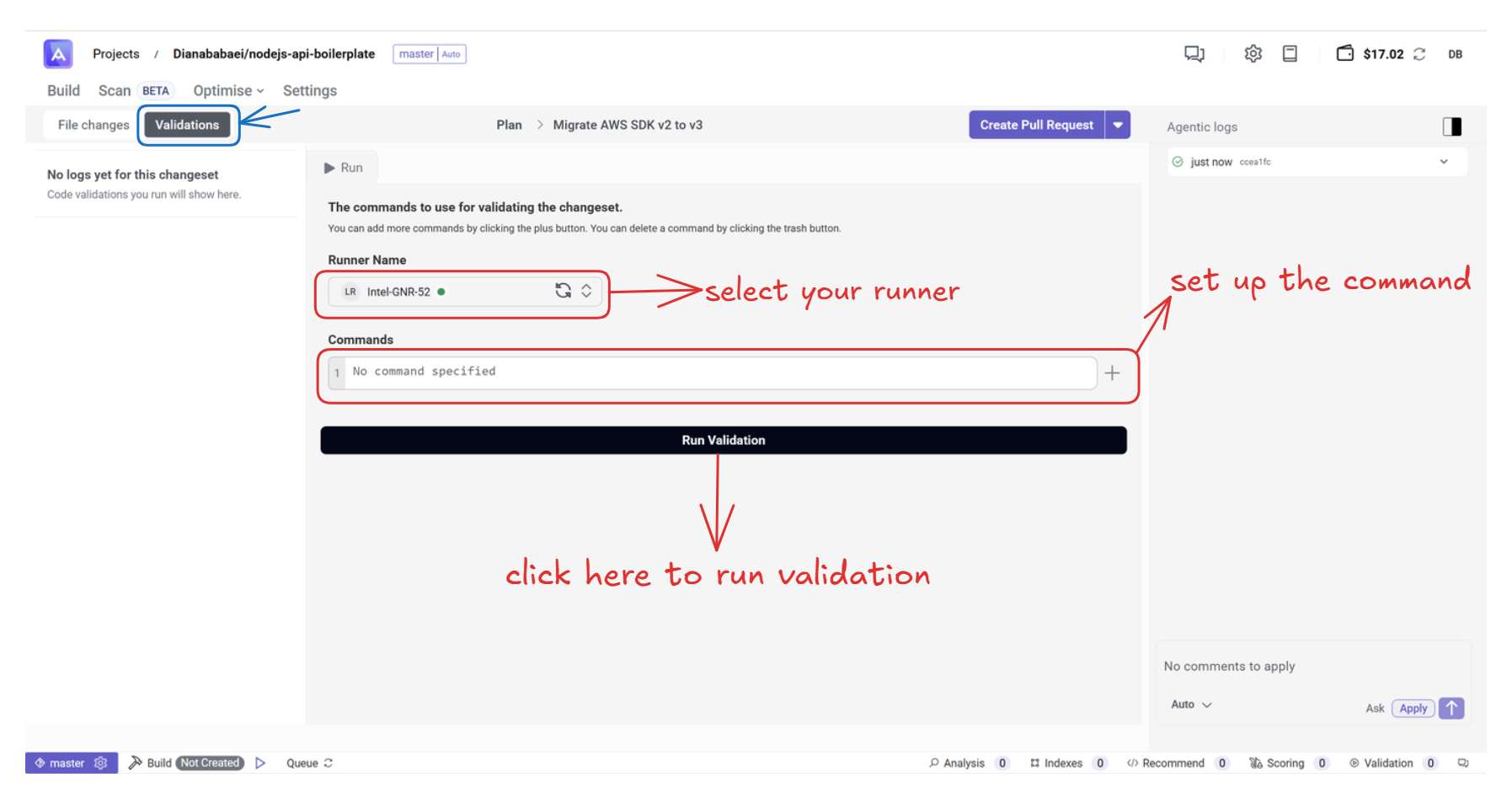
Before publishing your changes, you can use the validation system to ensure everything works correctly. If you haven't set up the commands or runner yet, see the guide: custom runner and build setting.
Steps:
- Click Open Task to access the validation page.
- Set up the required commands.
- Select your runner.
- Click Run Validation.
Once you’ve reviewed and validated the changes, you can continue to publish them.