Build Settings
Configure your project's build environment and monitor execution logs in real-time.
Accessing Build Settings
- Navigate to your project
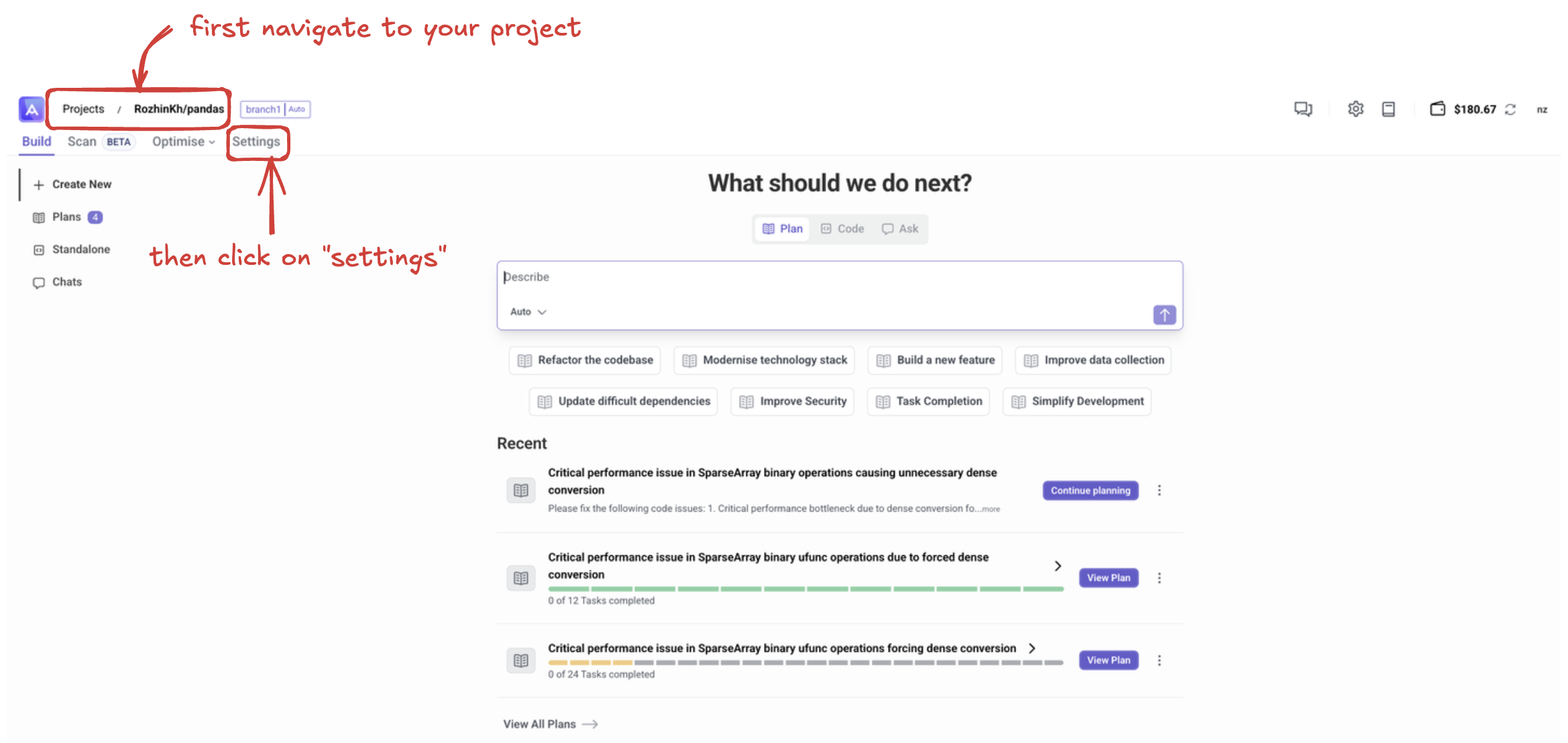
- Click on the Settings tab
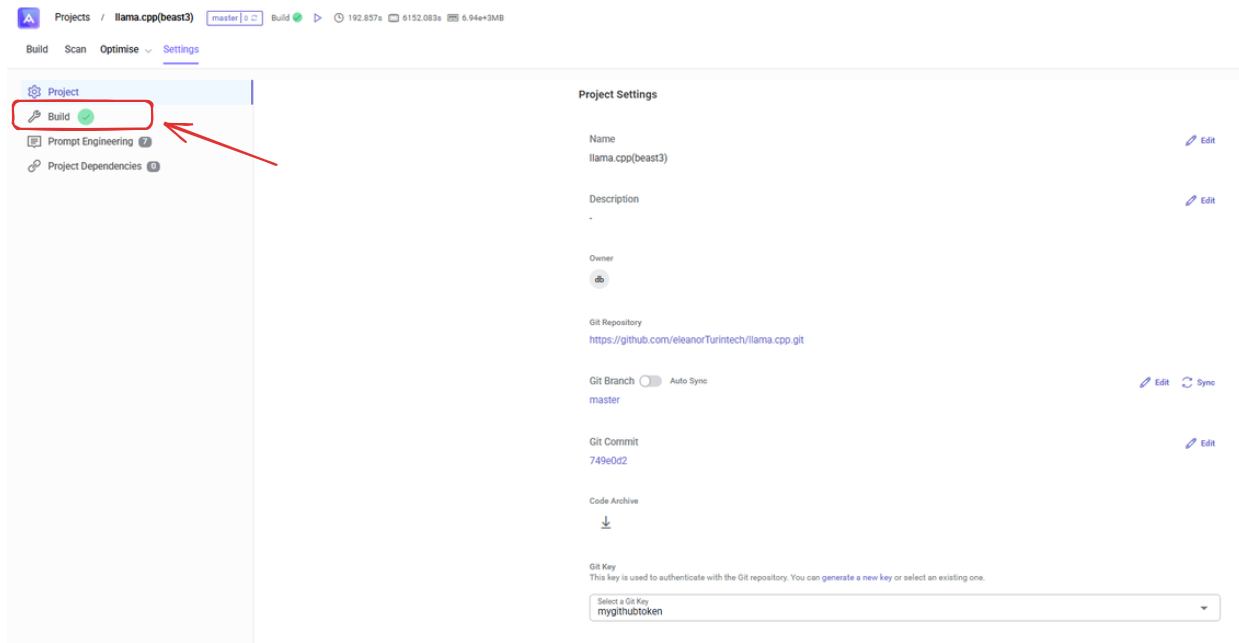
- Select Build from the left sidebar
Configuration Options
Runner Selection
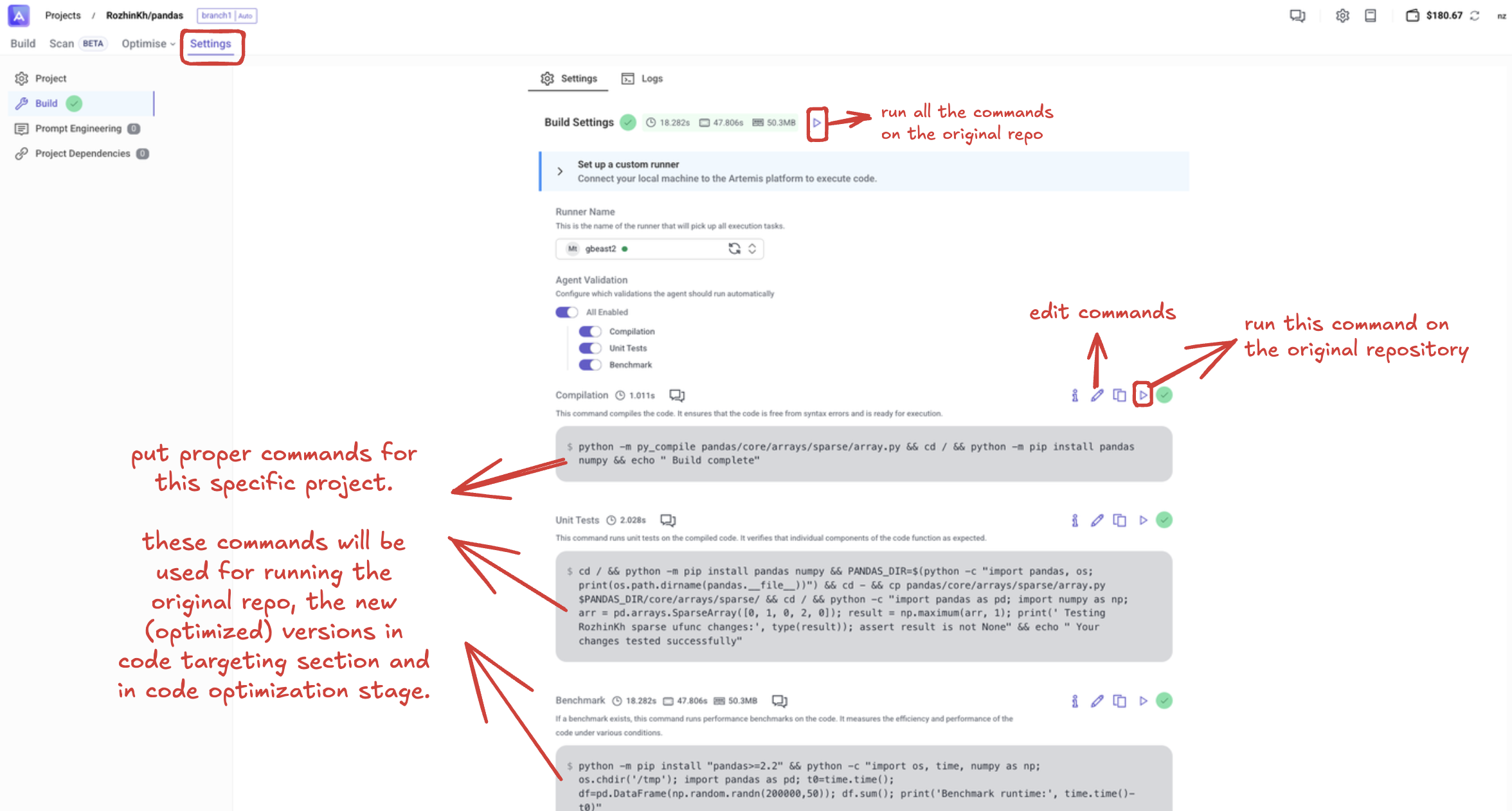
First if you haven't already Set up Artemis Custom Runner. Choose a runner that will execute all commands for your project. The selected runner will handle:
- Code compilation
- Unit tests
- Performance benchmarks
Command Configuration
Configure specific commands for different stages of your project:
- Compilation: Set up build commands for your project
- Unit Tests: Define test execution commands
- Benchmarks: Configure performance testing commands
Each command can be customized with proper parameters specific to your project's needs.
Monitoring Execution
Build Logs
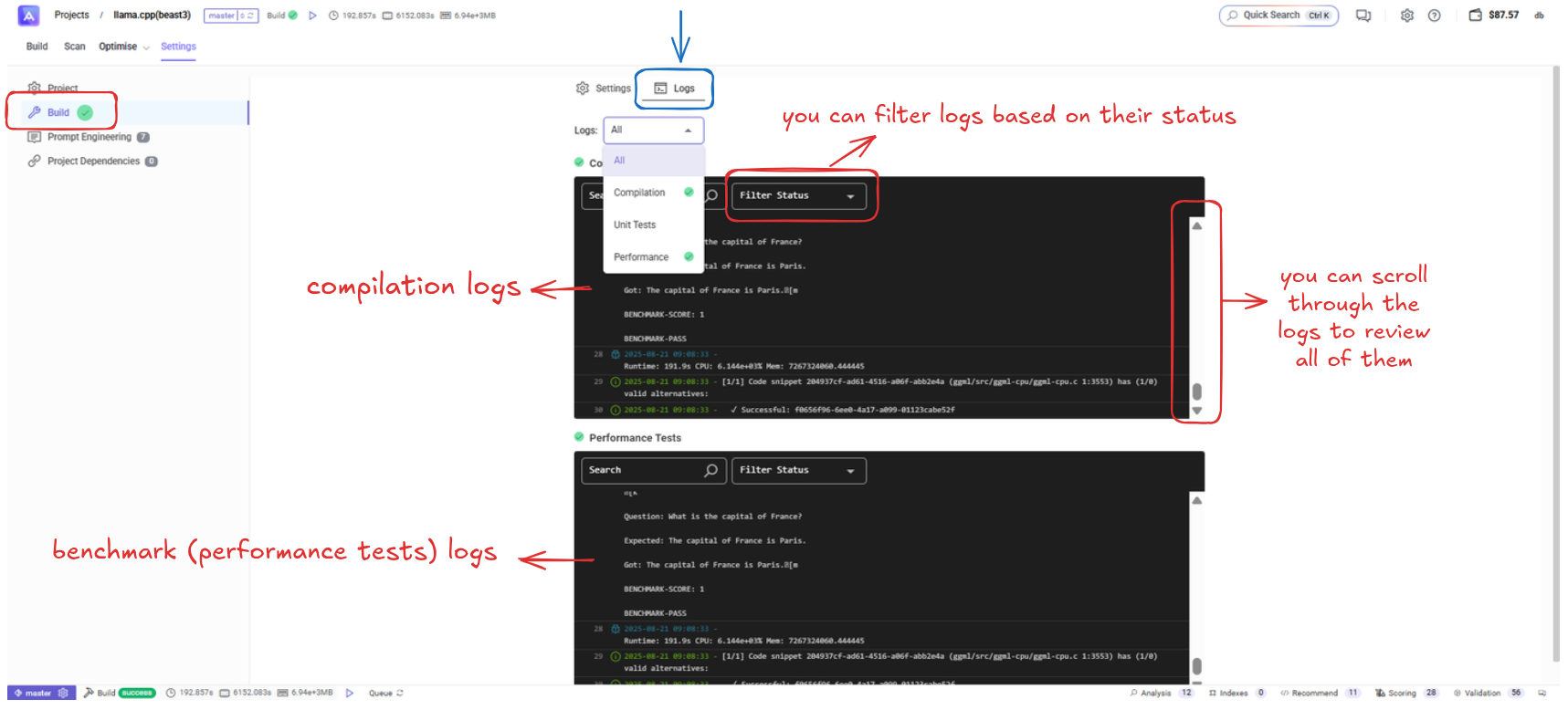
Access real-time logs for all build operations:
- View compilation output
- Monitor build progress
- Debug compilation errors
Performance Logs
Track benchmark and performance test results:
- Review test execution details
- Monitor performance metrics
- Analyze benchmark scores
Log Features
- Filter by Status: Filter logs based on their execution status
- Scrollable Interface: Navigate through extensive log outputs
- Real-time Updates: View logs as commands execute
Usage Tips
- Configure runners before executing commands
- Use the logs section to troubleshoot build issues
- Monitor performance logs to track code optimization progress
- Filter logs to focus on specific types of operations
Next Steps
After configuring build settings, you can validate your new code versions using the configured commands.