Artemis Skills
Skills are Claude Code plugins that guide you through setting up and configuring Artemis — directly from your terminal. They are powered by the turintech/skills marketplace.
Installation
Add the TurinTech AI skills marketplace and install the Artemis plugin in Claude Code.
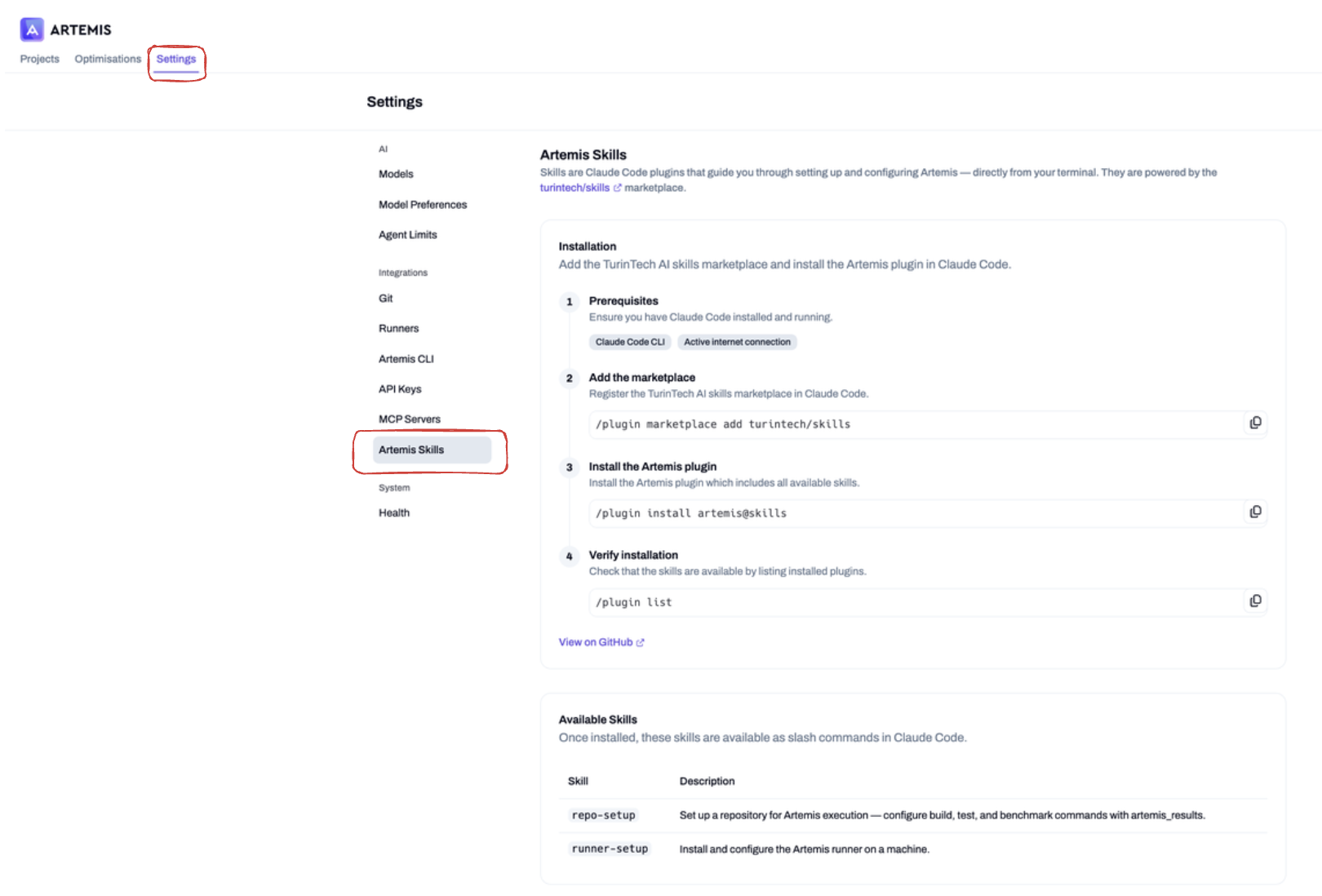
Prerequisites
Ensure you have Claude Code installed and running:
- Claude Code CLI
- Active internet connection
1. Add the marketplace
Register the TurinTech AI skills marketplace in Claude Code:
/plugin marketplace add turintech/skills
2. Install the Artemis plugin
Install the Artemis plugin, which includes all available skills:
/plugin install artemis@skills
3. Verify installation
Check that the skills are available by listing installed plugins:
/plugin list
Available Skills
Once installed, these skills are available as slash commands in Claude Code:
| Skill | Description |
|---|---|
/repo-setup | Set up a repository for Artemis execution — configure build, test, and benchmark commands with artemis_results. |
/runner-setup | Install and configure the Artemis runner on a machine. |
artemis | Classify a request, check workflow readiness, and route to the right skill. |
cli-setup | Install, update, and authenticate the Artemis CLI. |
runner-setup | Install, register, start, update, and verify a runner. |
repo-prepare-fork | Fork or privately mirror an upstream repository the user does not control, pinned to a known commit. |
repo-command-setup | Derive and verify compile, test, and benchmark commands, including numeric artemis_results metrics. |
project-import | Import a remote Git branch as a fresh Artemis project and capture its UUID. |
discovery-start | Create a Discovery run with inline commands, wait for the baseline, and confirm exploration started. |
discovery-inspect | Interpret a Discovery run: status, versions, metrics, and what the winning diff actually changed. |
discovery-steer | Continue, expand the budget, or redirect a live Discovery run. |
maintain | Run Maintain end to end: rules, scan, triage, fix, ship, and resync. |
Updating
Keep your skills up to date with the latest changes:
/plugin marketplace update skills
Using /repo-setup
Run /repo-setup inside Claude Code to automatically configure your project's build, test, and benchmark commands. The skill analyses your repository, detects your build system and hardware, and writes the correct commands to your Artemis project settings.
Push the resulting changes to Git — Artemis syncs automatically.
You can also trigger this from the Execution settings page in Artemis using the Agent Skill → View setup guide option. See Project Settings.