Project Overview
The Overview tab is your project's home page — a single place to see everything happening across Artemis and jump straight into any part of it.
Getting started
When you first open a project, the Getting Started panel offers six things to explore. Each card takes you to the relevant part of the platform, so you can get moving in one click.
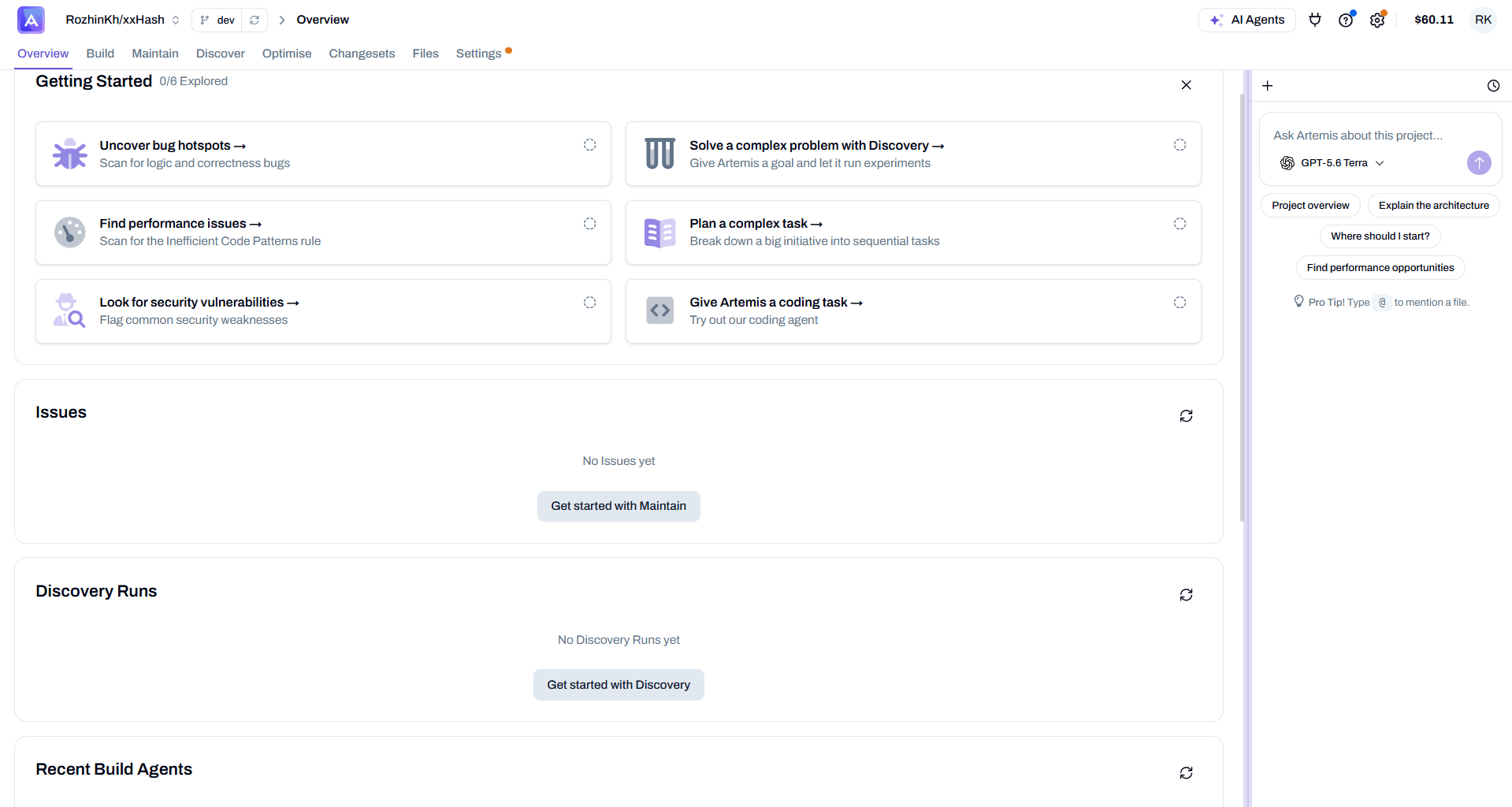
| Card | Takes you to |
|---|---|
| Uncover bug hotspots — scan for logic & correctness bugs | Maintain |
| Find performance issues — scan for the Inefficient Code Patterns rule | Maintain |
| Look for security vulnerabilities — flag common security weaknesses | Maintain |
| Solve a complex problem with Discovery — give Artemis a goal and let it run experiments | Discover |
| Plan a complex task — break down a big initiative into sequential tasks | Build |
| Give Artemis a coding task — try out the coding agent | Build |
The 0/6 Explored counter tracks how many you've tried, and you can dismiss the panel with the ✕ once you're set up.
Everything in one place
As you use the platform, the Overview fills in with live summaries — so you can reach all of your work at once, without hopping between tabs. Each panel has a Show all → to open the full section.
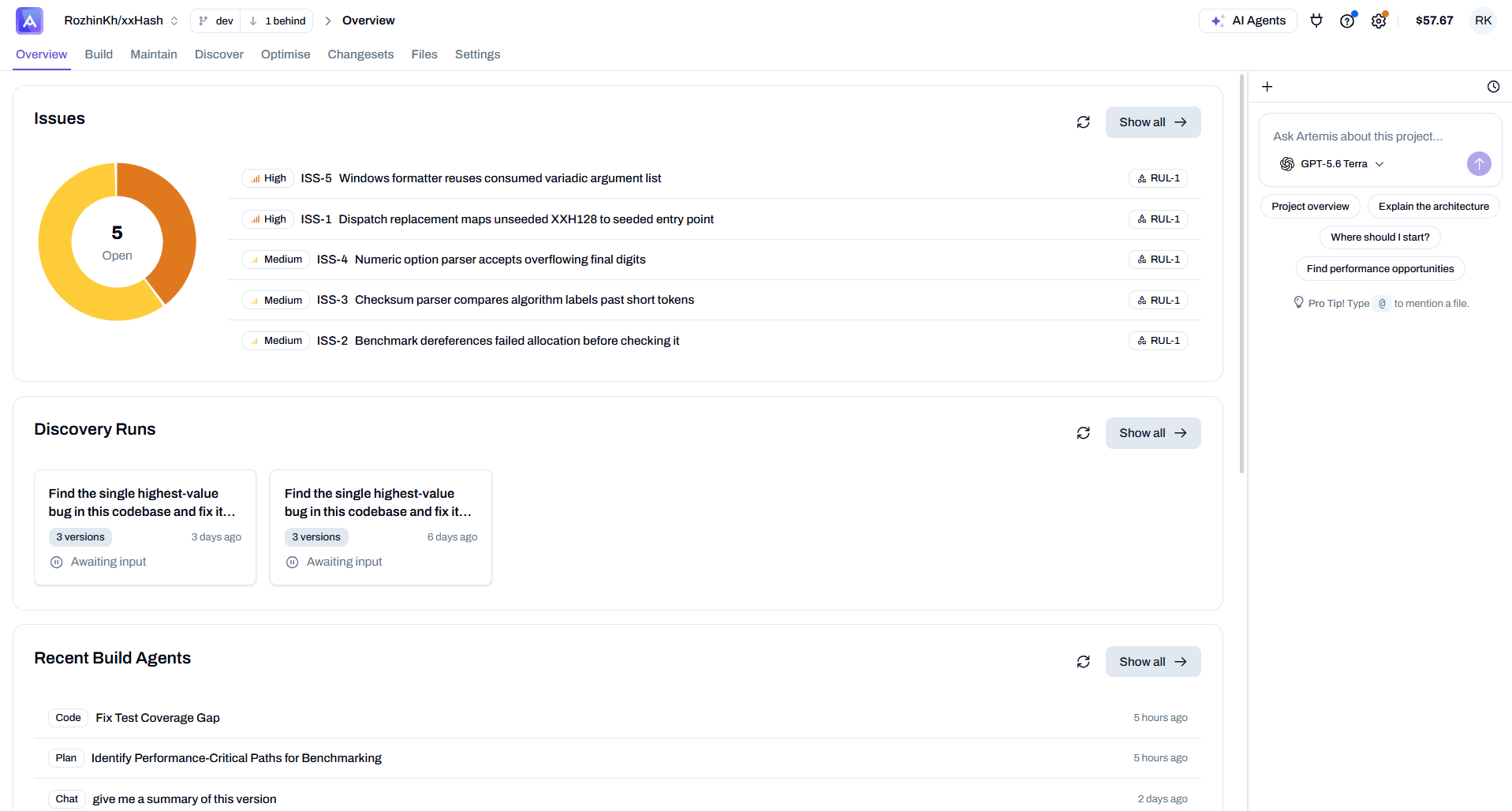
- Issues — every issue found by your Maintain scans, grouped by severity (High / Medium) with an open-count summary.
- Discovery Runs — your Discover experiments and their status (for example, Awaiting input), with version counts.
- Recent Build Agents — your latest Build agent runs (Code, Plan, Chat), newest first.
Runner & Scripts
The Overview also surfaces your project's execution setup at a glance — the runner and the commands Artemis uses.
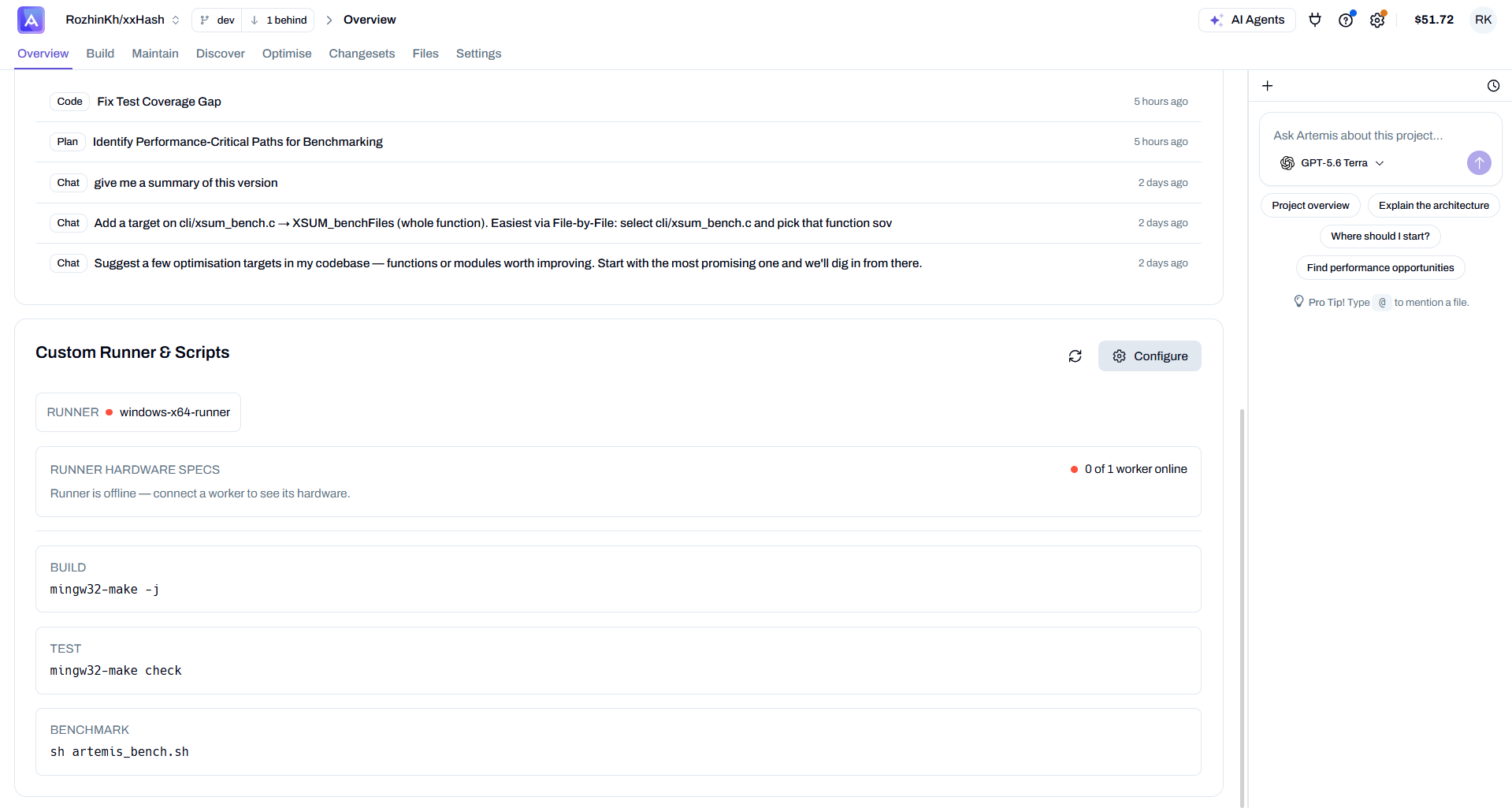
- Runner — the connected runner and whether its worker is online.
- Runner hardware specs — CPU / RAM / GPU (shown once a worker connects).
- Build / Test / Benchmark — the commands Artemis runs (e.g.
mingw32-make -j,mingw32-make check,sh artemis_bench.sh).
Click Configure to edit these in Runner and Scripts.
Ask Artemis about this project
The chat panel on the right lets you ask questions about the whole project. Use the quick prompts — Project overview, Explain the architecture, Where should I start?, Find performance opportunities — or type your own (@ to mention a file).