Admin & Governance Settings
Organisation Settings are available to administrators only. They provide enterprise-grade controls for user management, cost governance, model governance, and auditability across the entire Artemis platform.
For settings available to all users (models, agent limits, prompts, system health), see User Settings.
These settings appear under the Organisation Settings section in the left sidebar when you are logged in as an admin.
Auditability: Per-User LLM Cost Tracking
The Users page provides administrators with a detailed view of LLM usage and cost across all users on the platform.

Key Features
- Cumulative Expense Over Time — A time-series chart showing per-user LLM spending over a configurable date range. Each user is represented as a separate line, making it easy to identify cost trends and outliers.
- Date Range Filter — Select a custom date range to analyse spending for specific periods (e.g., monthly reviews, quarterly audits).
- Per-User Breakdown — See exactly how much each user has spent on LLM calls, enabling accountability and budget tracking.
Use Cases
- Budget reviews — Track whether teams or individuals are staying within allocated LLM budgets.
- Anomaly detection — Identify unexpected spikes in usage that may indicate misconfigured agents or excessive runs.
- Chargeback and cost allocation — Attribute LLM costs to specific users or departments for internal billing.
- Compliance reporting — Generate usage reports for audits and governance reviews.
Governance: Per-User Agent Cost & Step Limits
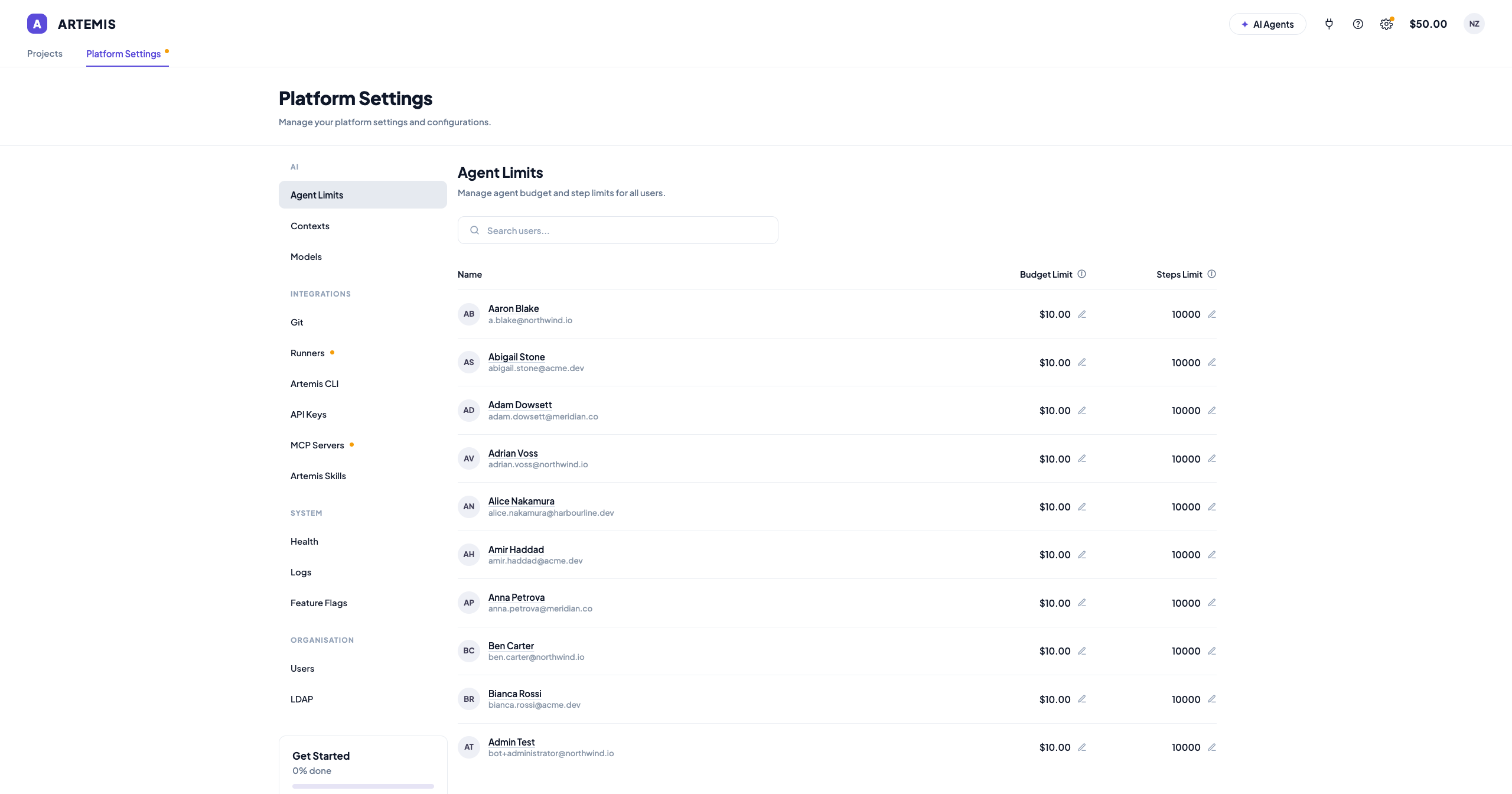
The Agents page allows administrators to set per-user cost and step limits for agent runs across the entire platform.

Configurable Limits
| Limit | Description |
|---|---|
| Agent Budget Limit | The maximum dollar amount a user can spend per agent run. Prevents individual runs from consuming excessive LLM resources. |
| Agent Steps Limit | The maximum number of steps an agent can execute in a single run. Prevents runaway agents from executing indefinitely. |
How It Works
- Navigate to Settings → Agents (under Organisation Settings).
- The table lists all users with their email and current limits.
- Click the edit icon next to any user's Agent Budget Limit or Agent Steps Limit.
- Enter the new value and click SET to apply.
These limits are enforced platform-wide. When an agent reaches its budget or step limit during a run, it will stop execution and return results up to that point.
Why This Matters for Enterprises
- Cost containment — Prevent any single user from accidentally consuming large amounts of LLM budget.
- Resource fairness — Ensure all team members have equitable access to platform resources.
- Risk mitigation — Stop misconfigured or looping agents before they generate significant costs.
Governance: Model Management
Global Models
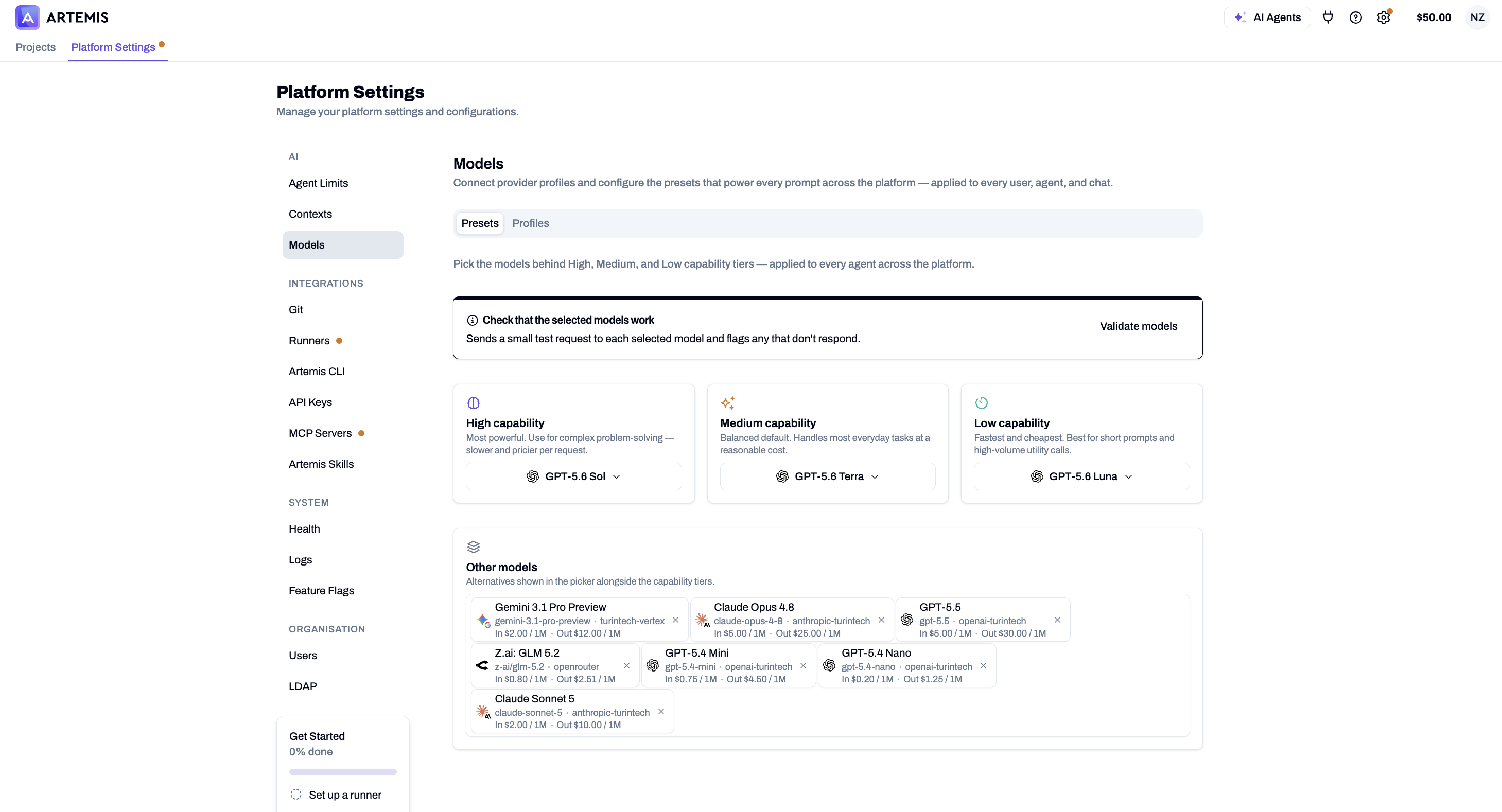
Administrators can control which LLM models are available across the entire platform from the Global Models page. This includes:
- Enabling or disabling models globally — Turn off models that are not approved for use within your organisation.
- Locking models — Prevent users from toggling certain models on or off, ensuring compliance with organisational policies.
- Vendor control — Restrict usage to specific providers (e.g., only Anthropic models, or only OpenAI models) based on your data governance requirements.
Global Default Models
Set organisation-wide default models for each task type. These defaults apply to all users unless they override them in their personal settings. This ensures consistency in model usage across teams and projects.
User Management
Users
View and manage all registered users on the platform. The Users page displays:
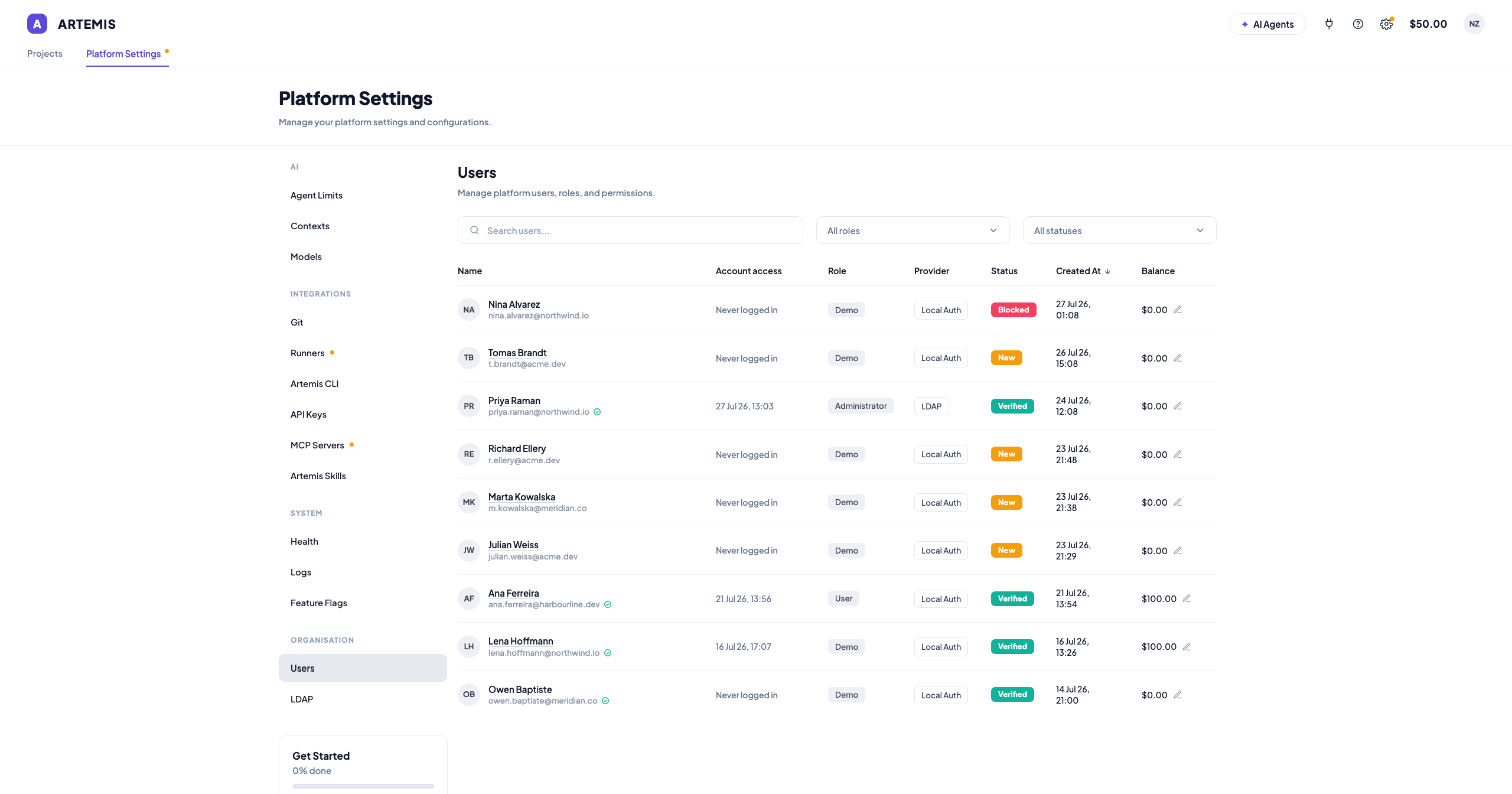
- User names and email addresses
- Account verification status
- Usage and cost data (see Auditability section above)
LDAP Integration
Configure LDAP for centralised authentication and user provisioning, integrating Artemis with your existing identity management infrastructure.
Enterprise Governance Summary
| Capability | Feature | Benefit |
|---|---|---|
| Auditability | Per-user LLM cost tracking | Full visibility into who is spending what on AI operations |
| Cost Governance | Per-user total balance limit | Cap overall spending per user |
| Cost Governance | Per-user per-agent cost limit | Prevent individual agent runs from overspending |
| Operational Governance | Per-user per-agent steps limit | Stop runaway agents and ensure predictable execution |
| Model Governance | Global model enable/disable and locking | Control which models, versions, and vendors are used |
| Model Governance | Global default models | Enforce consistent model selection across the organisation |
| Access Governance | LDAP integration | Control who can access the platform |