General
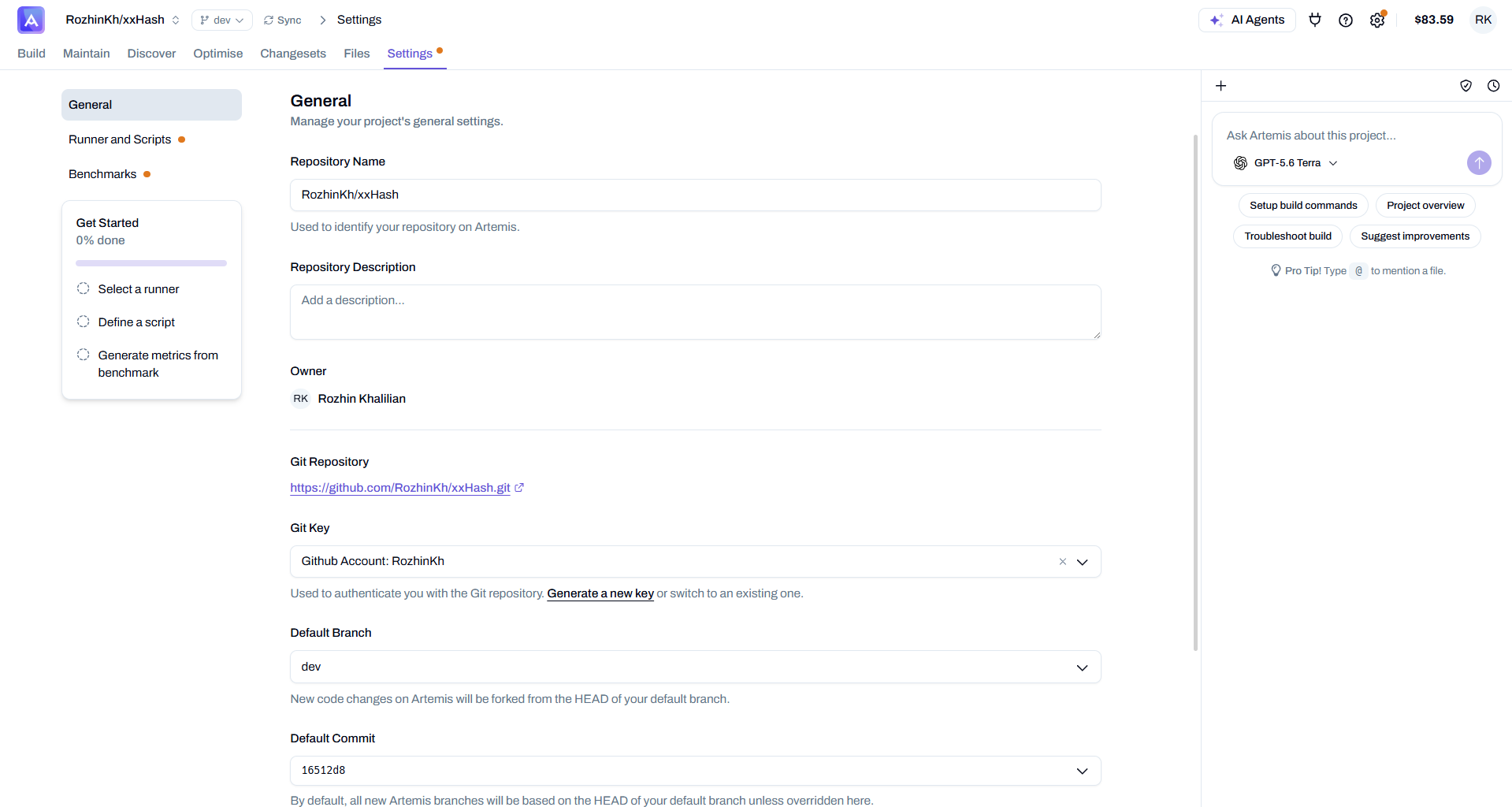
Manage your project's general settings from the Settings → General tab. This is where you name the project, review its Git connection, and control which branch and commit new Artemis work is based on.
Project details
| Field | Description |
|---|---|
| Repository Name | The name used to identify your repository on Artemis. |
| Repository Description | An optional description of the project. |
| Owner | The user who owns the project. |
Git connection
These fields control how Artemis connects to and authenticates with your repository.
| Field | Description |
|---|---|
| Git Repository | The URL of the connected Git repository. Follow the link to open it in your Git provider. |
| Git Key | The credential used to authenticate Artemis with the repository. Generate a new key or switch to an existing one directly from this field. See Using private code repositories for setup instructions. |
Branch and commit
Control the starting point for every new version Artemis creates.
| Field | Description |
|---|---|
| Default Branch | The branch Artemis works from. New code changes are forked from the HEAD of this branch. |
| Default Commit | The commit new Artemis branches are based on. By default all new branches use the HEAD of your default branch, unless you override it here by pinning a specific commit. |
Ask Artemis about this project
The right-hand panel is a project-aware chat agent you can ask anything about your setup — no need to leave the settings page. It has full context of your project and its configuration.
Use the quick actions to jump straight into a common task:
- Setup build commands — get help configuring your compilation, test, and benchmark commands
- Project overview — a summary of how your project is currently set up
- Troubleshoot build — diagnose and fix build failures
- Suggest improvements — recommendations based on your project and runner
Type @ in the chat to mention a specific file and give the agent focused context.
Staying in sync with your repository
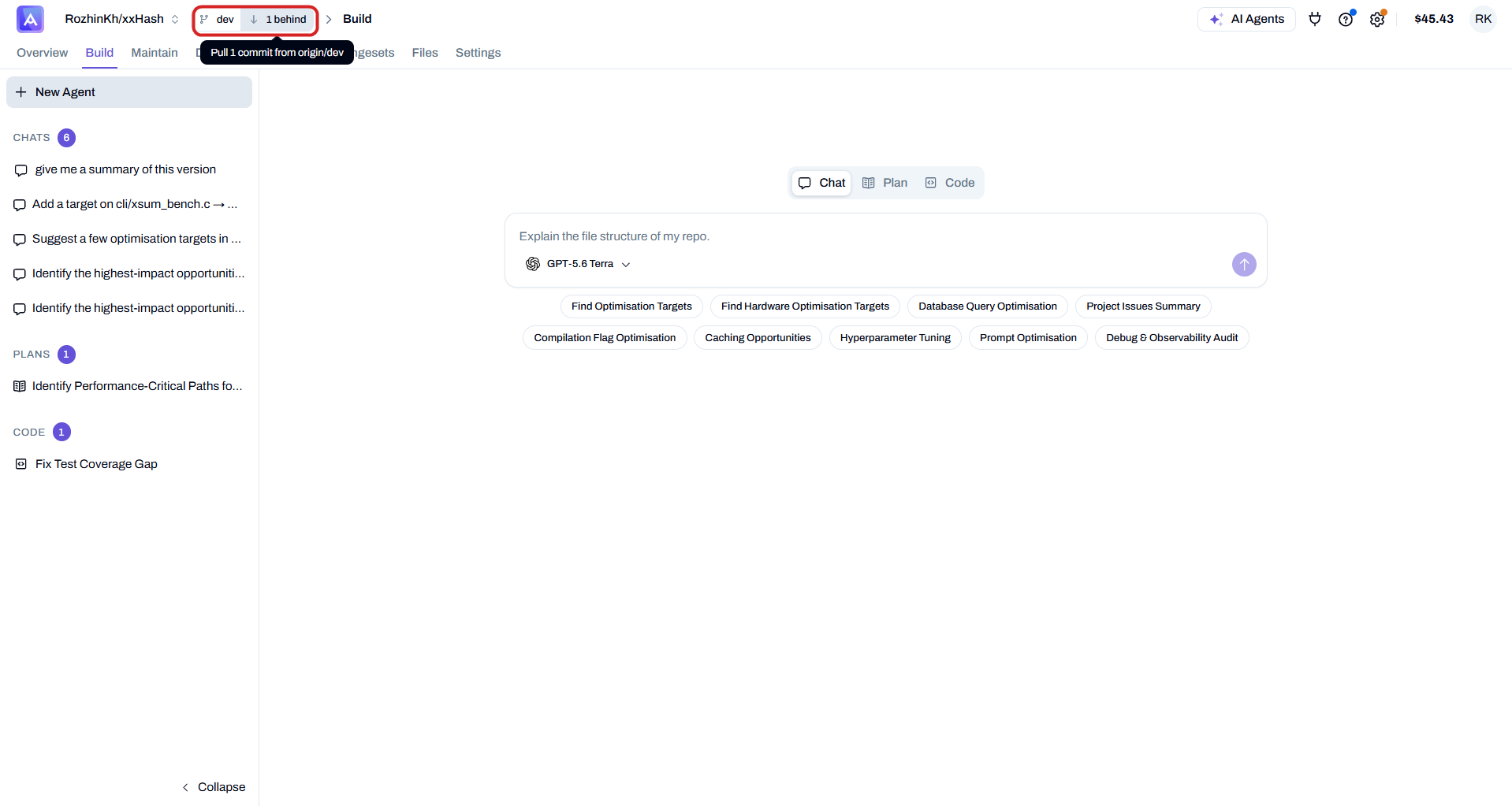
Artemis tracks your default branch against the remote. When the repository moves ahead and your project falls one or more commits behind, a behind indicator appears next to the branch selector in the top bar. Click it to pull the latest commits and bring your project up to date with the newest state of the repo.
Next Steps
- Runner and Scripts — connect a runner and define your build and test commands
- Benchmarks — measure performance and generate custom metrics