Discover
Autonomous multi-file evolution
Describe a goal and the agent runs the full cycle autonomously, building Experiments, generating multi-file Versions, and carrying the best results forward.
Need per-file diff exploration? Targets · Need to combine specific changes? Optimise
Starting a Discovery Run
From the Discover page, describe what you want the agent to discover or optimise in the goal input, adjust the settings below, and submit. You can also pick one of the starting-point suggestions (e.g. Optimise performance, Cut runtime by 20%, Find and fix the highest-value bug) to prefill a goal.
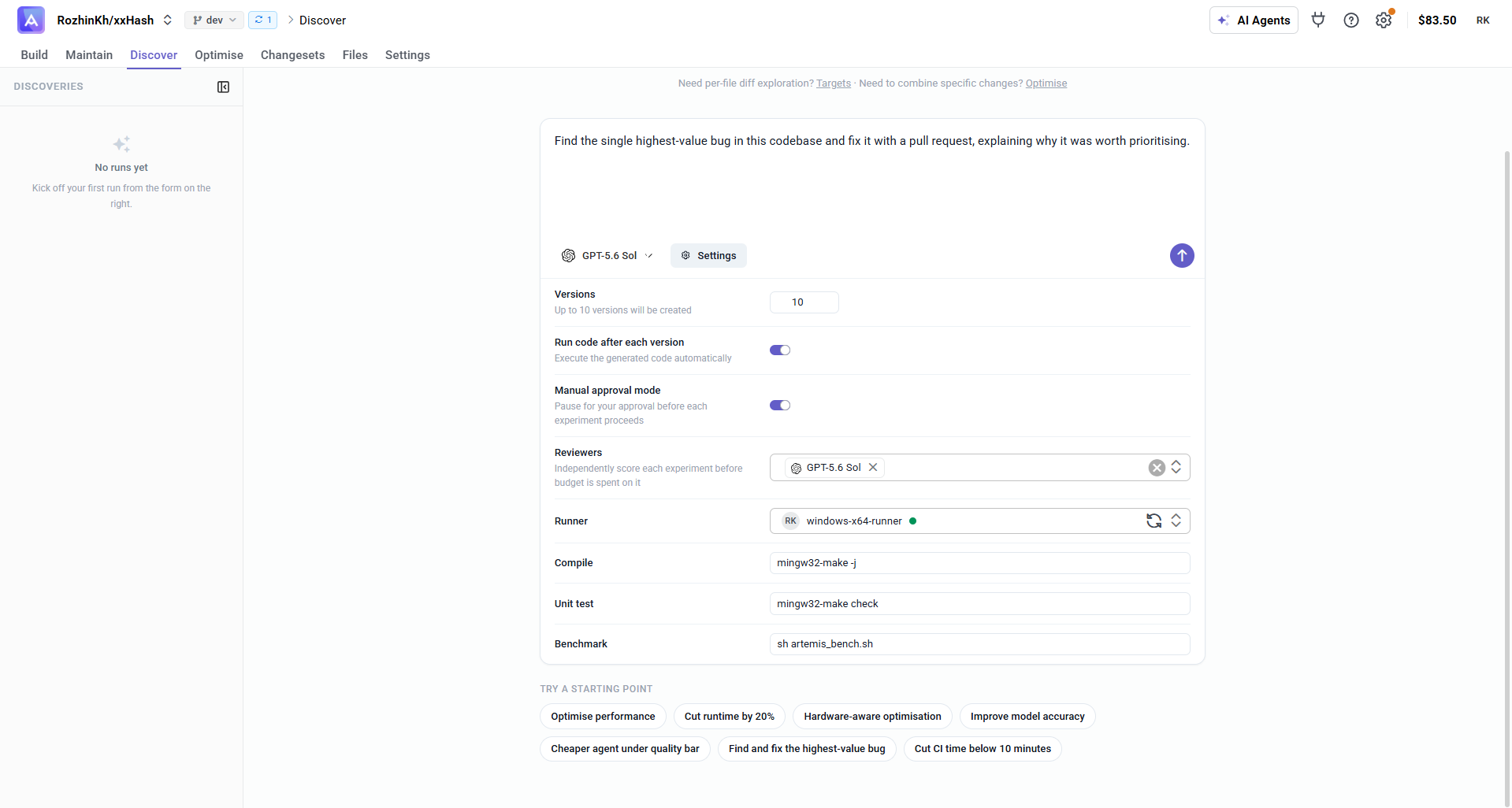
Configuration
Before starting a run, configure how Discover explores your codebase and how each version is validated:
| Setting | Description |
|---|---|
| Model | The LLM that drives the discovery (e.g. GPT-5.6). Pick it by name or by effort tier. |
| Versions | How many versions to generate in the run (up to 10) — Discovery can produce multiple experiment versions simultaneously. |
| Run code after each version | Automatically executes and validates each version as it is generated, using your runner and scripts. |
| Manual approval mode | Pauses for your approval before each experiment proceeds, so you can review queued work first. |
| Reviewers | One or more LLMs that independently score each experiment before budget is spent on it — a multi-LLM review panel with confidence ratings and critique notes. |
| Runner | The connected runner that executes the scripts for each version. |
| Compile / Unit test / Benchmark | The scripts run against every version, taken from your Runner and Scripts setup. |
Inside a Discovery Run
Once a run starts, the left sidebar gives you the views you need to navigate the run:
- Overview - run summary, run configuration, and the current best version
- Graph - visual graph of the full run
- Experiments - list of all Experiments and their status
- Versions - list of all generated code versions, scores, and diffs
- Goals - the fitness criteria the agent is optimising toward
Overview
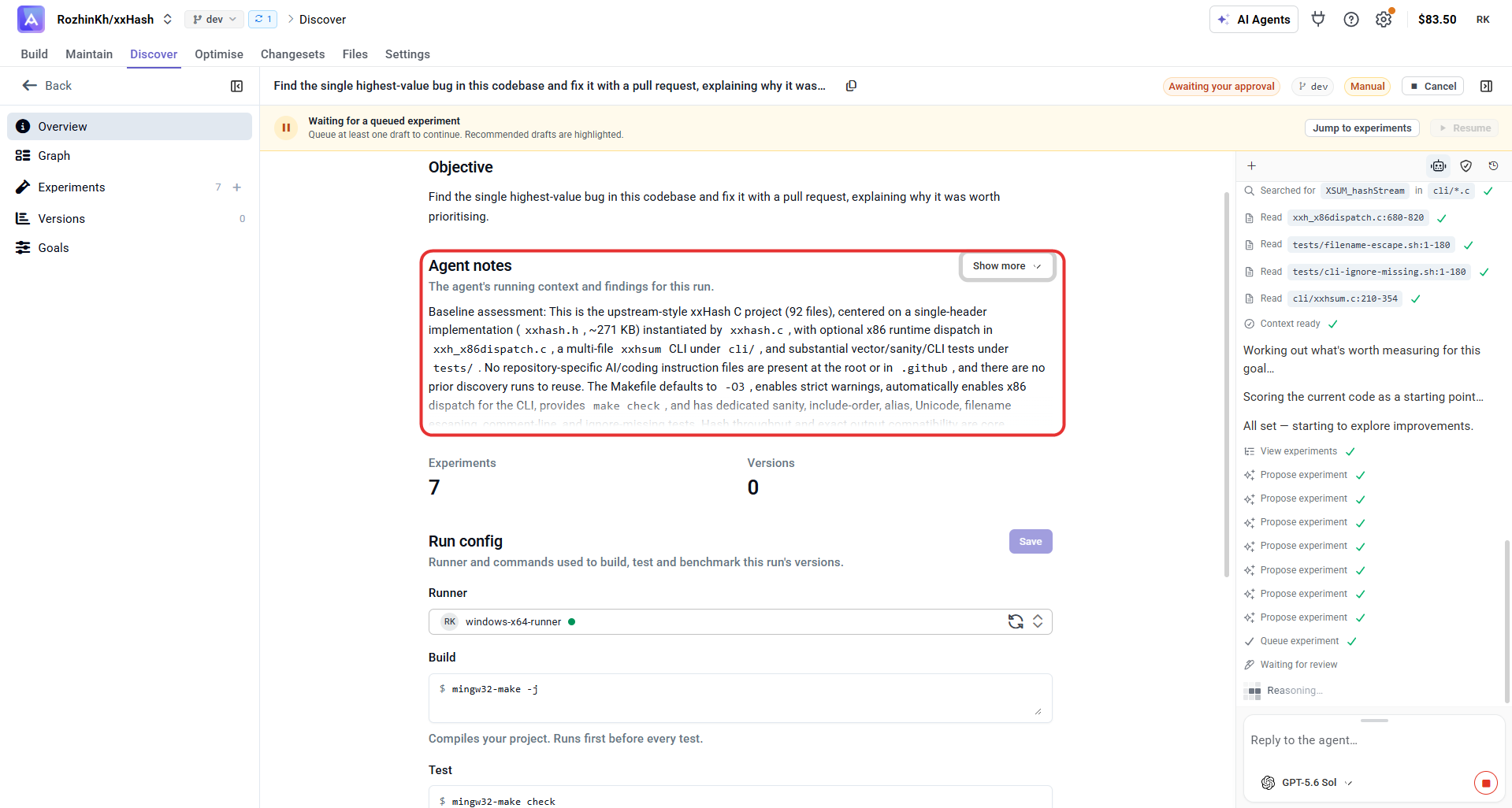
The Overview is the starting point for a run. It shows the run's Objective, the agent's notes, live counts of Experiments and Versions, the Run config used to validate every version, and the current best version.
Agent notes
The Agent notes panel (expand it with Show more) is the agent's running context and findings for the run. It typically captures:
- Baseline assessment — what the codebase is, how it builds and tests, and the constraints to preserve. For xxHash, that's the strict
-O3warning build,make check, and hash outputs that must stay bit-identical across platforms. - The strongest defect found — the highest-value issue the agent will target, and why it matters. In this run it flagged a real crash:
xxhsum --seedwith no value reads pastargvand passesNULLto the seed parser, segfaulting on ordinary malformed input. - Other weaknesses surveyed — lower-priority issues it noticed but did not prioritise.
- Measurable baseline for scoring — the metrics and constraints versions are scored against (correctness, the strict-warning build, and performance treated as a non-regression constraint).
Reading these notes tells you why the agent proposes the experiments it does — which is what you use to decide what to queue and approve.
Run config
The Run config defines how each version is built, verified, and measured. Set up a runner and provide a command for each stage — every stage runs in order against each version the agent produces:
| Stage | Purpose |
|---|---|
| Runner | The execution environment that carries out the build, test, and benchmark commands. If none is connected, set up a runner from the project's runner setup section. |
| Build | Compiles your project. Runs first, before every test, so only valid code moves forward. |
| Test | Guardrails that verify each code change. Make sure these tests cover the code being optimised. |
| Benchmark | Measures performance and writes custom metrics that are compared across versions. |
You control when this pipeline runs: enable Run code after each version to validate every version as it is generated, or leave it off and run only the versions you select on demand.
Next Steps
- Tutorials — learn with your coding agent how to drive Discovery through the CLI by example
- Code Targeting - identify specific targets for manual, per-file exploration
- Creating an Optimisation - combine specific versions you've already selected
- Reviewing Results - understand the output metrics