Settings
Configure your project's execution environment and project-level details from the Settings tab inside any project.
The Settings page has two sections accessible from the left sidebar: Execution and Project.
Execution
The Execution section lets you configure the runner and the commands Artemis uses to compile, test, and benchmark your code.
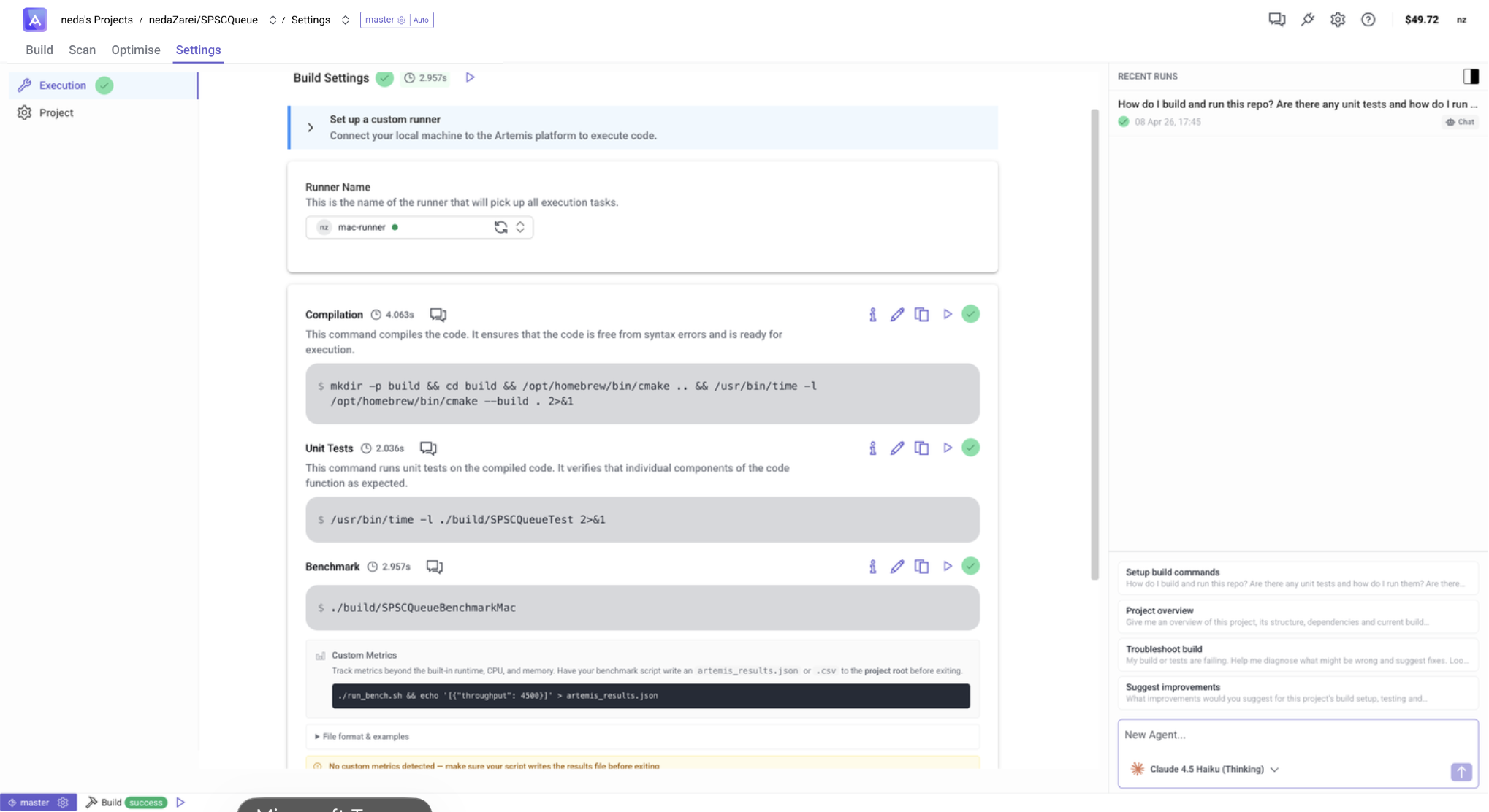
Set up a runner
Before configuring commands, set up the Artemis Runner if you haven't already.
Select a runner from the Runner Name dropdown. The selected runner will pick up all execution tasks for this project.
Command Configuration
Configure the command for each execution stage:
- Compilation — compiles the code. Ensures the code is free from syntax errors and is ready for execution.
- Unit Tests — runs unit tests on the compiled code. Verifies that individual components function as expected.
- Benchmark — runs your performance benchmark to measure runtime, CPU, and memory.
Each command can be edited, duplicated, run manually, or deleted using the action icons on the right.
Agent Assistant
The right-hand panel in the Execution settings contains a built-in chat agent that can help you configure and troubleshoot your commands. The agent is hardware-aware — it knows the specifications of your connected runner (CPU, memory, platform) — and has full context of the commands you've already set up.
You can ask it to:
- Set up build commands for your project from scratch
- Review and fix issues in your existing compilation, test, or benchmark commands
- Suggest improvements based on your runner's hardware
- Troubleshoot failures in any of the execution stages
Custom Metrics
Track metrics beyond the built-in runtime, CPU, and memory. Have your benchmark script write an artemis_results.json or .csv file to the project root before exiting — Artemis will automatically pick up and display any values in that file as additional score metrics.
See the File format & examples section in the Custom Metrics panel for the expected JSON/CSV schema.
Project
The Project section contains project-level configuration for your repository connection and settings.
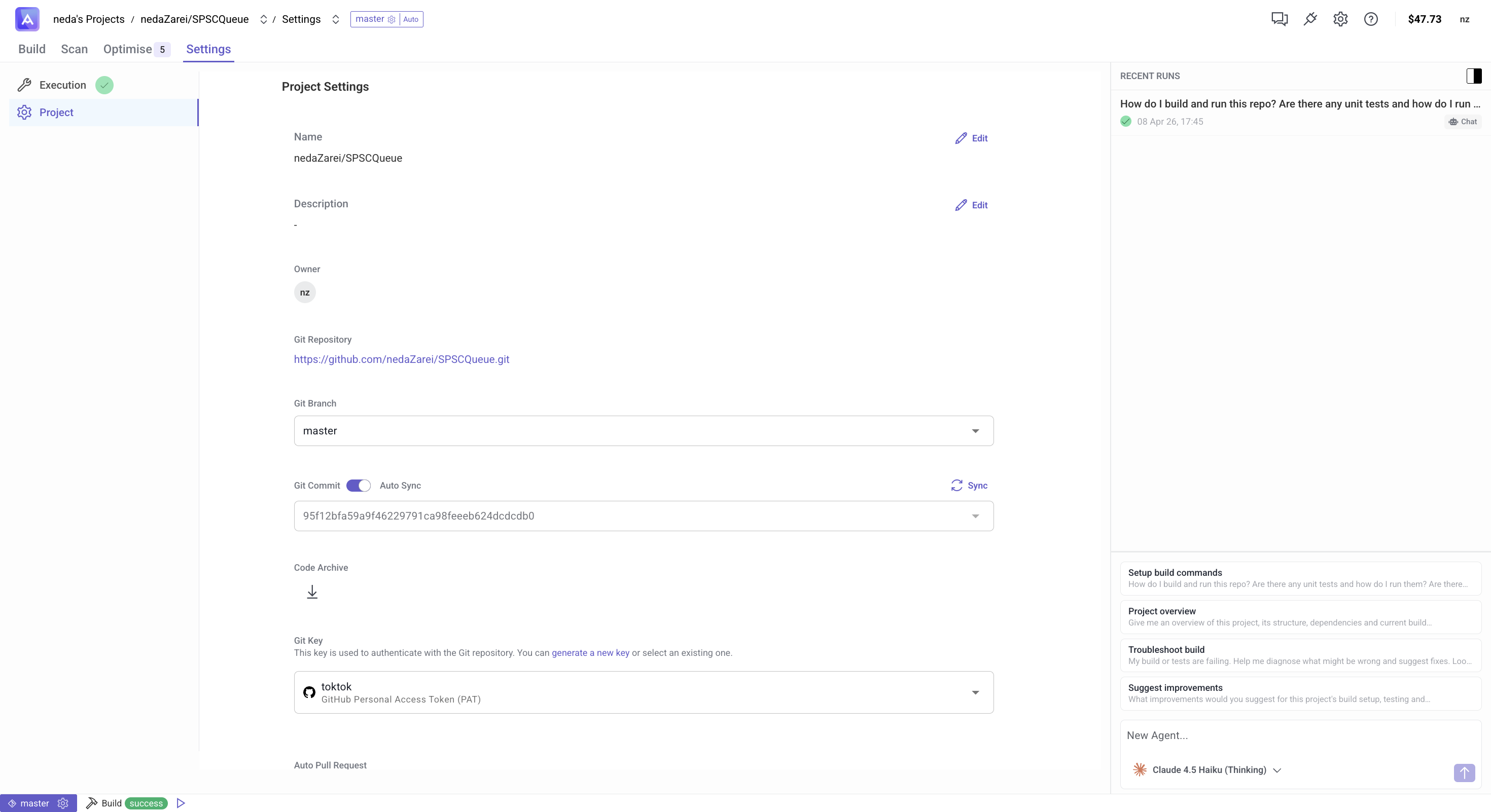
Fields
- Name — the display name of your project.
- Description — an optional description.
- Owner — the owner of the project.
- Git Repository — the URL of the connected Git repository.
- Git Branch — the branch Artemis will use.
- Git Commit — optionally pin to a specific commit hash.
- Code Authors — the authors associated with this project.
- Git Key — the authentication key used to access the repository. See Using private code repositories for setup instructions.
- Auto Pull Request — when enabled, Artemis will automatically open a pull request for accepted code changes.
Next Steps
After configuring your settings: