Chats
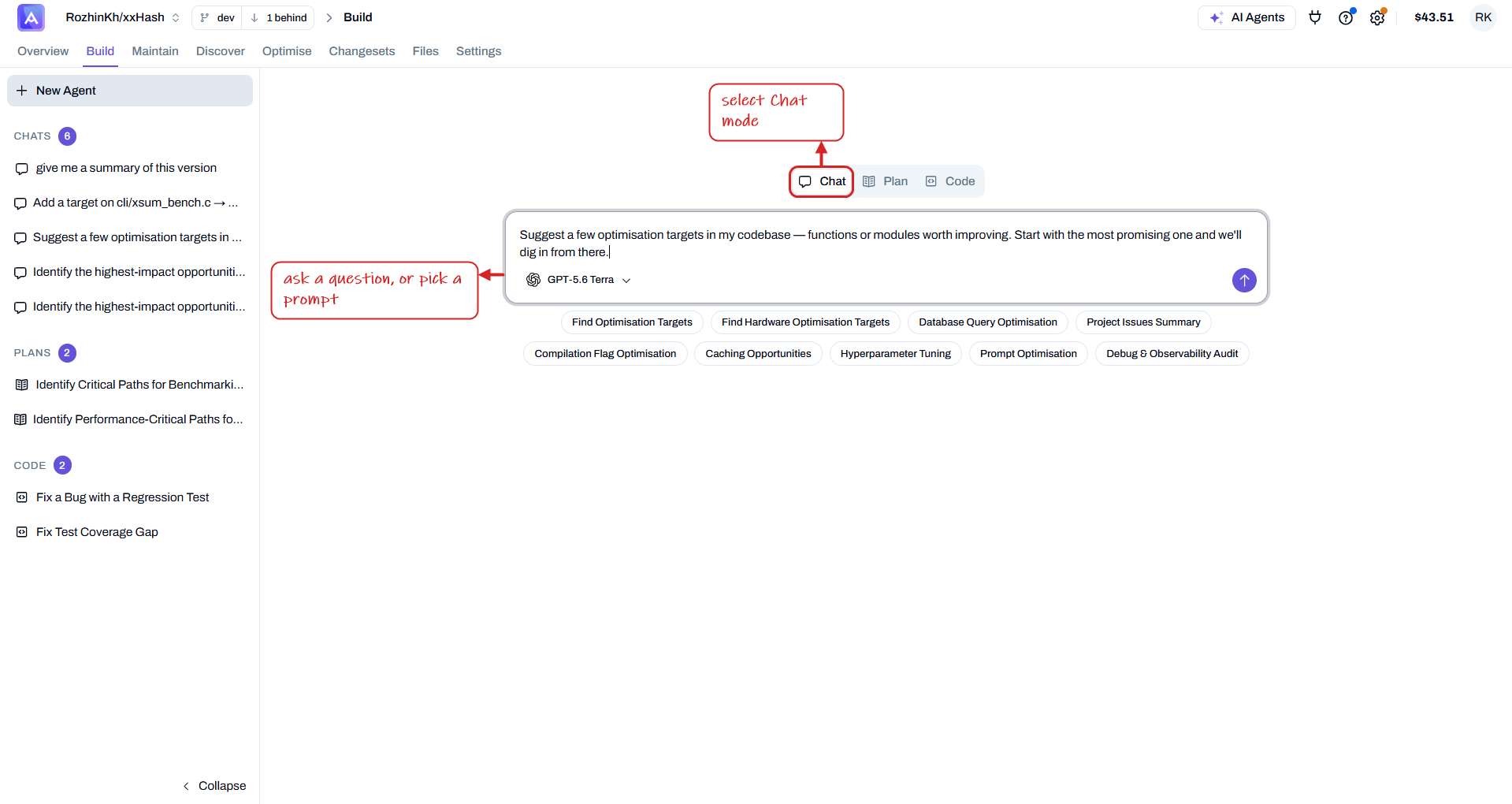
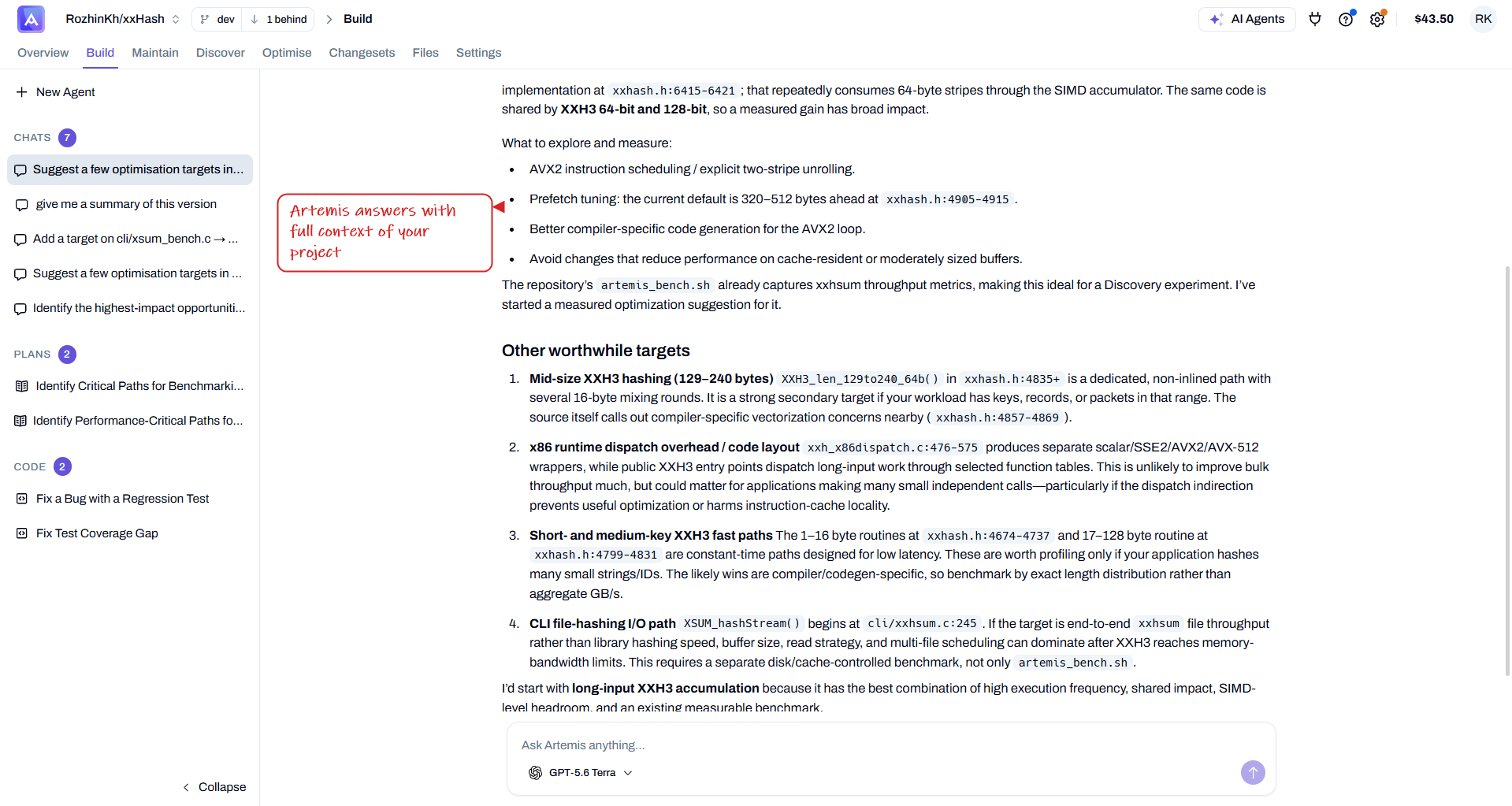
Chat mode is an interactive, conversational way to work with Artemis. Choose a model, ask anything about your project, and get real-time help — the agent has full context of your codebase (see indexing).
1. Start a chat
Switch the agent to Chat mode, then ask a question in your own words, or pick one of the suggested prompts (Find Optimisation Targets, Project Issues Summary, Caching Opportunities, …).
2. Get grounded answers
Artemis replies with answers grounded in your actual code — citing the files and line ranges it's referring to — so you can explore, decide, and plan your next step.
Use Chat to:
- Clarify doubts — ask about specific parts of your project, coding practices, or strategy.
- Get continuous support — instant answers and advice without leaving the interface.
- Decide next steps — suggestions for fixing bugs, adding features, or refactoring.