Code Targeting Overview
Artemis can work with codebases of any size, from small projects to large enterprise applications. Code targeting lets you extract a focused subset of your codebase so Artemis works on the most impactful areas — reducing processing time and keeping AI context tight and relevant.
Navigating to Code Targeting
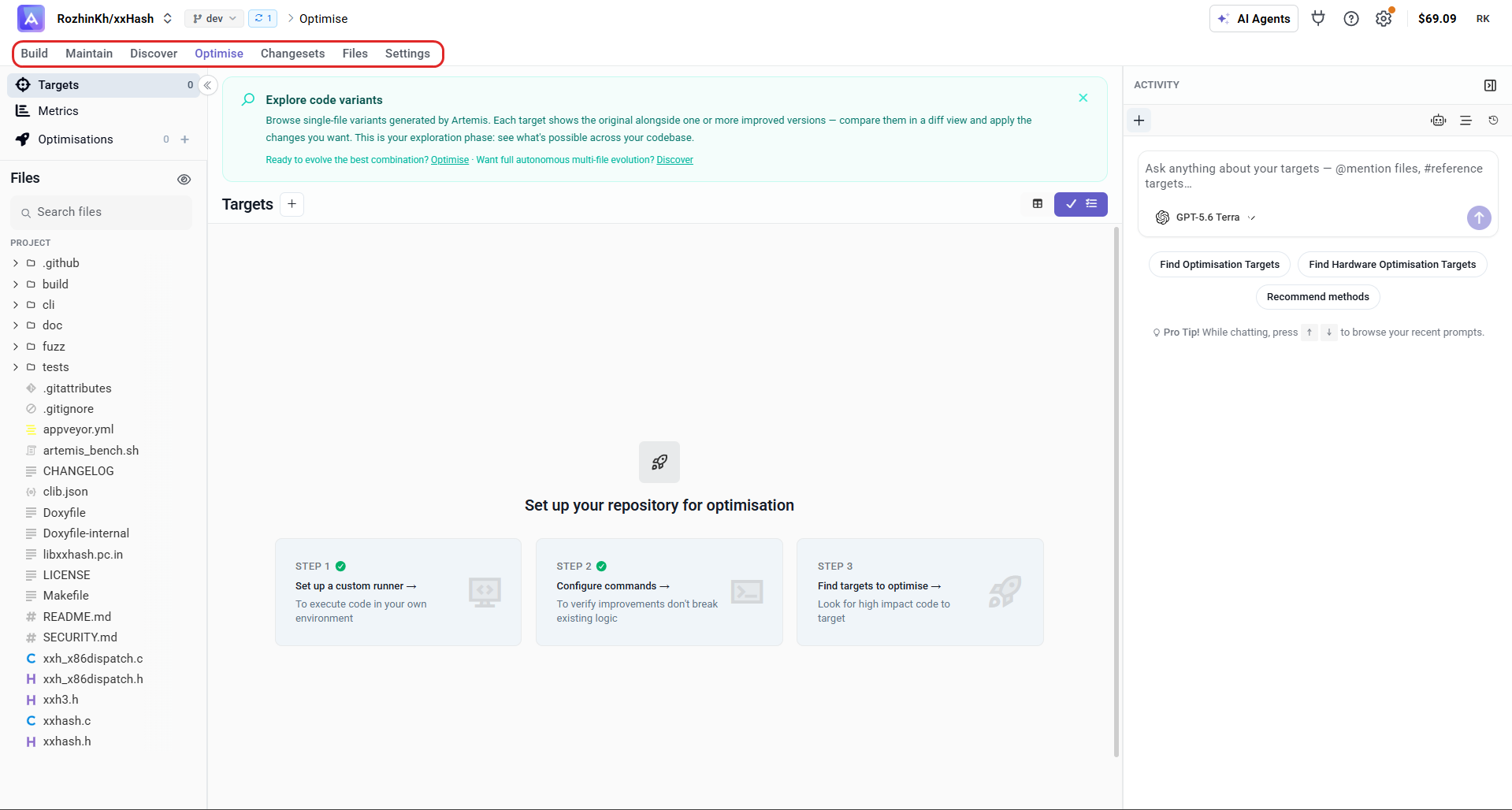
Step 1: Go to the Optimise tab
From your project, click the Optimise tab in the top navigation.
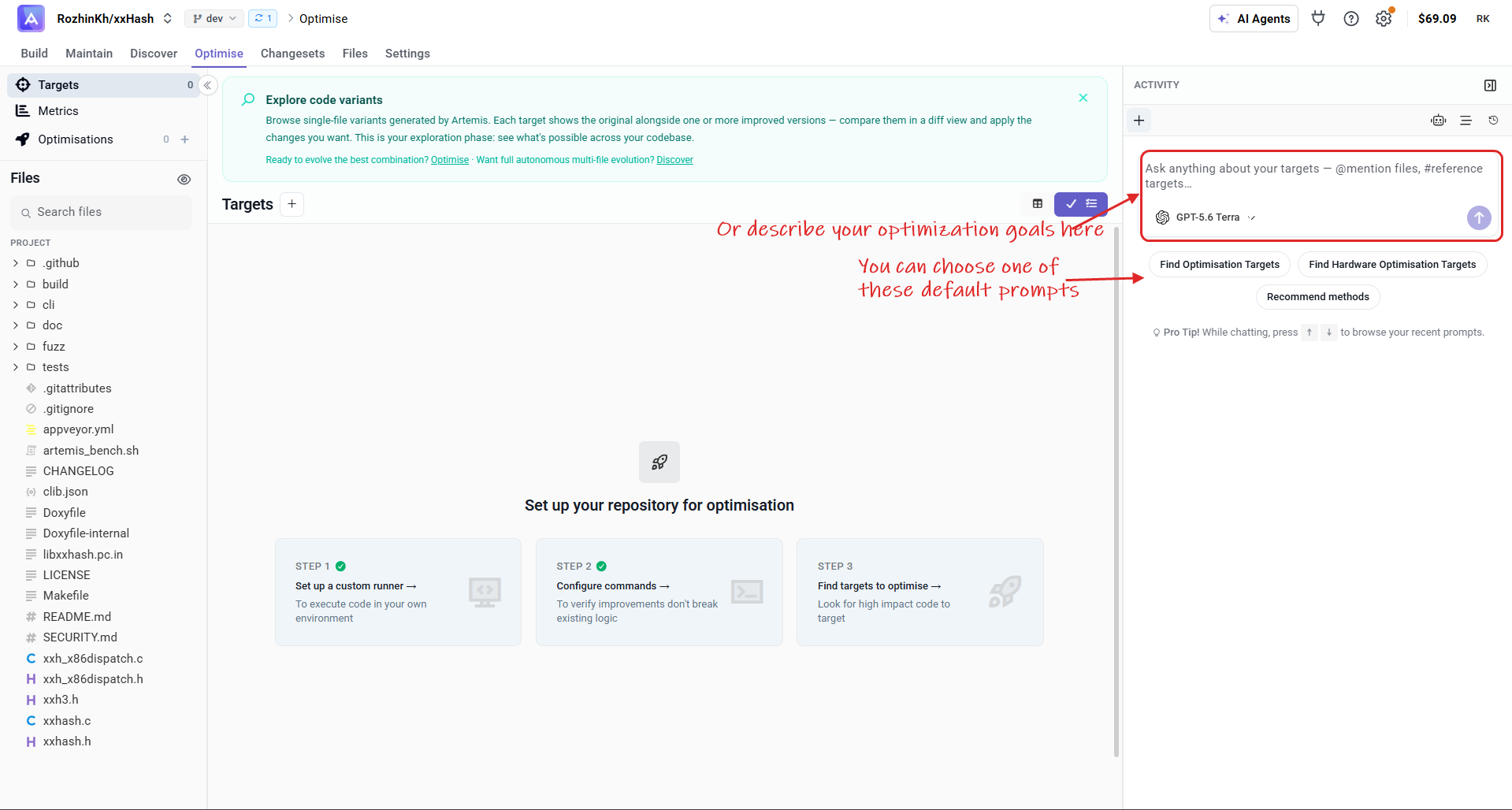
Step 2: Describe your goals to the agent
You'll land on the Targets page. The right-hand panel has a built-in chat agent — describe your optimisation goals in your own words, or pick one of the default prompts, and it will analyse your codebase to find the highest-impact areas.
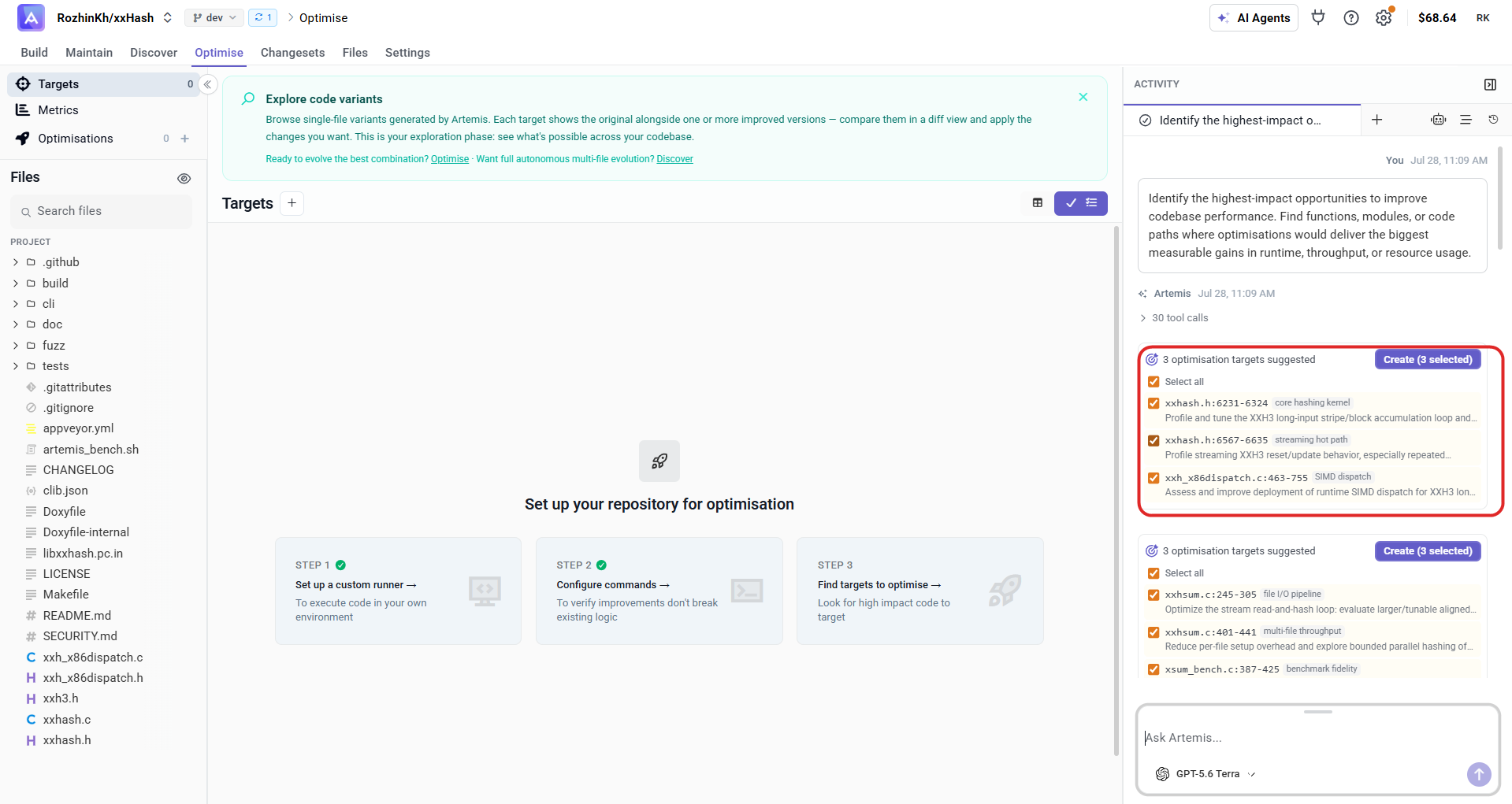
Step 3: Review and create the suggested targets
The agent returns a set of suggested targets, each with a file, line range, and a short rationale. Review the selection — untick any you don't want — then click Create to add them to your Targets list.
Targeting Methods
File-by-File Targeting (Thorough)
Scans each file in your codebase individually. Apply filters to extract specific code targets. Best for comprehensive coverage when you want full visibility across the entire project.
- Processes each file sequentially
- Filter by criteria (size, complexity, content patterns)
- Extract targets with full coverage
Agent Targeting (Fast)
Uses an AI agent to analyse your code and identify the highest-impact areas for optimisation. Provides quick results by focusing on high-value sections rather than scanning everything.
- Agent-based codebase analysis
- Priority results based on impact
- Focused approach with quick insights
Chat with Agent (Interactive)
Have a conversational session with an AI agent about your codebase. Ask questions, explore optimisation opportunities, and get guidance on where to focus — then extract targets directly from the conversation.
- Ask questions about your codebase
- Set optimisation goals through dialogue
- Explore optimisation opportunities interactively
Browsing Your Targets
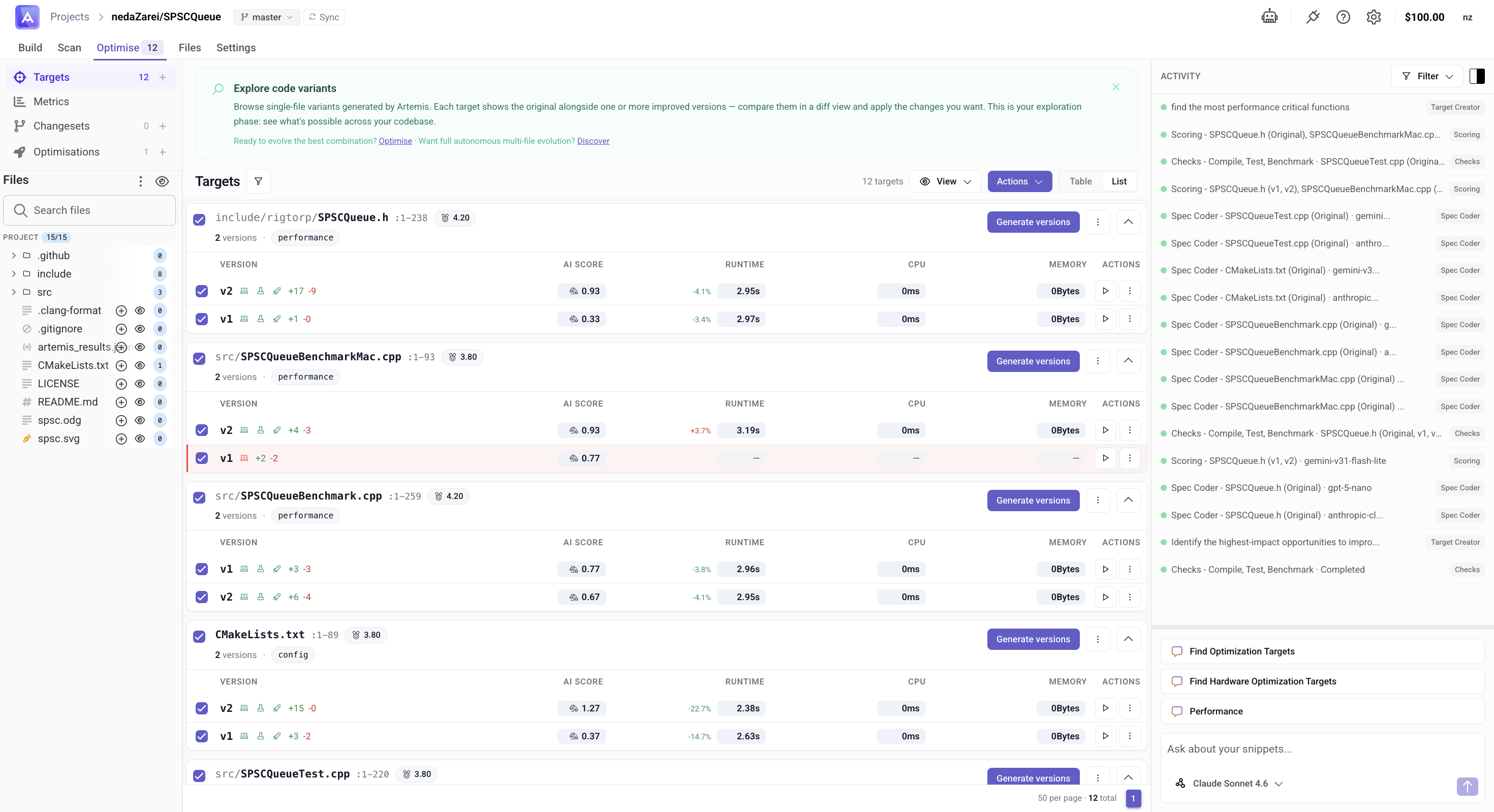
Once targets and versions have been generated, the top of the Targets page gives you an overview of your exploration space.
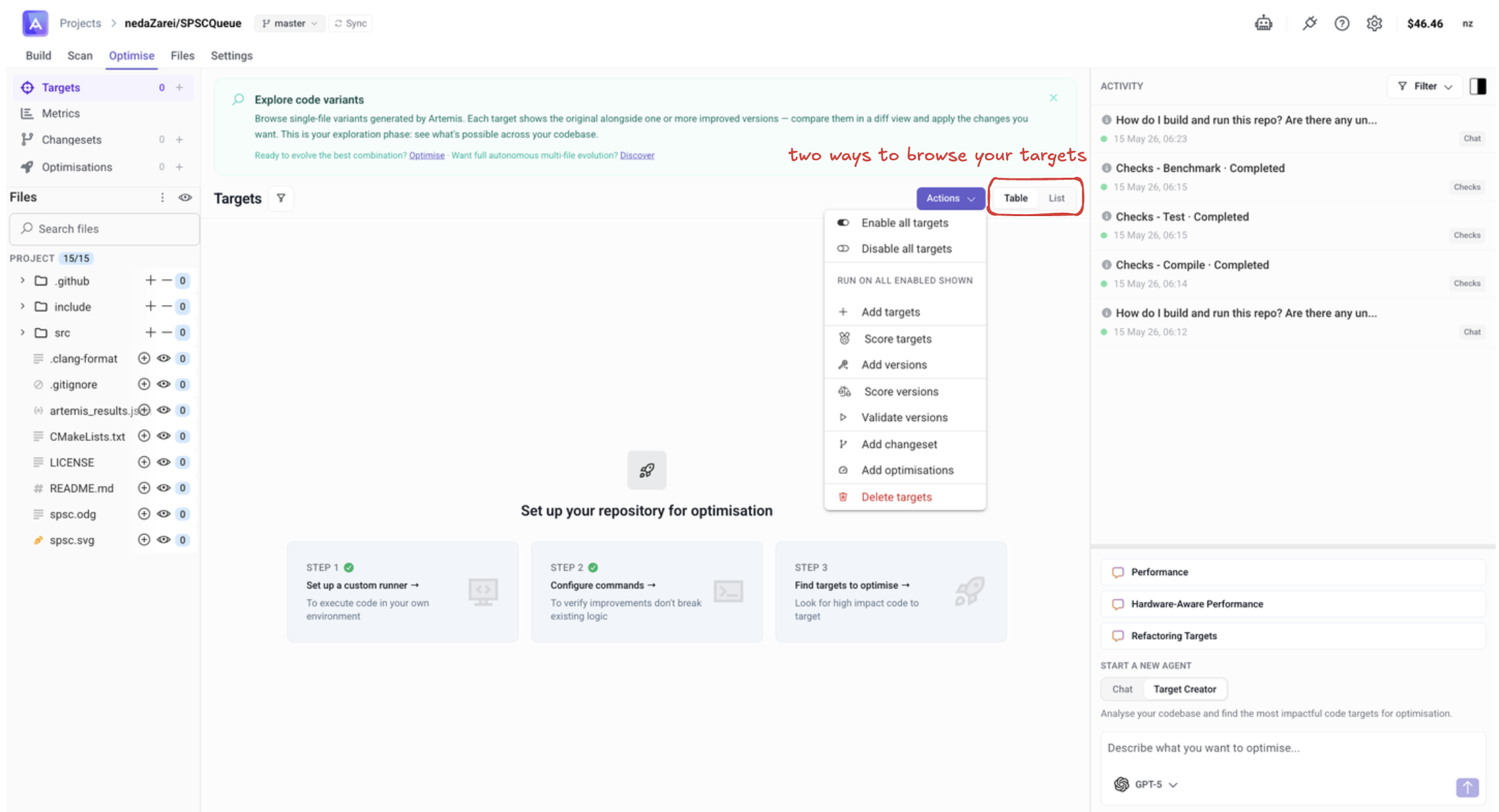
Explore code variants — Browse single-file variants generated by Artemis. Each target shows the original alongside one or more improved versions. Compare them in a diff view and apply the changes you want. This is your exploration phase: see what's possible across your codebase.
Two ways to browse
Switch between views any time from the toolbar:
- Table — compact spreadsheet layout for scanning many targets at once.
- List — card-based layout that surfaces metrics, scores, and version diffs inline.
What's next from here?
- Ready to evolve the best combination? → Create an Optimisation — combine your strongest versions and find the best overall result.
- Want full autonomous multi-file evolution? → Discover — let Artemis autonomously explore and evolve changes across multiple files.
Next Steps
After identifying your targets:
- Score your targets to prioritise where to focus
- Generate new code versions
- Validate the results