Agent analysis
Step 1: Agent analysis setup
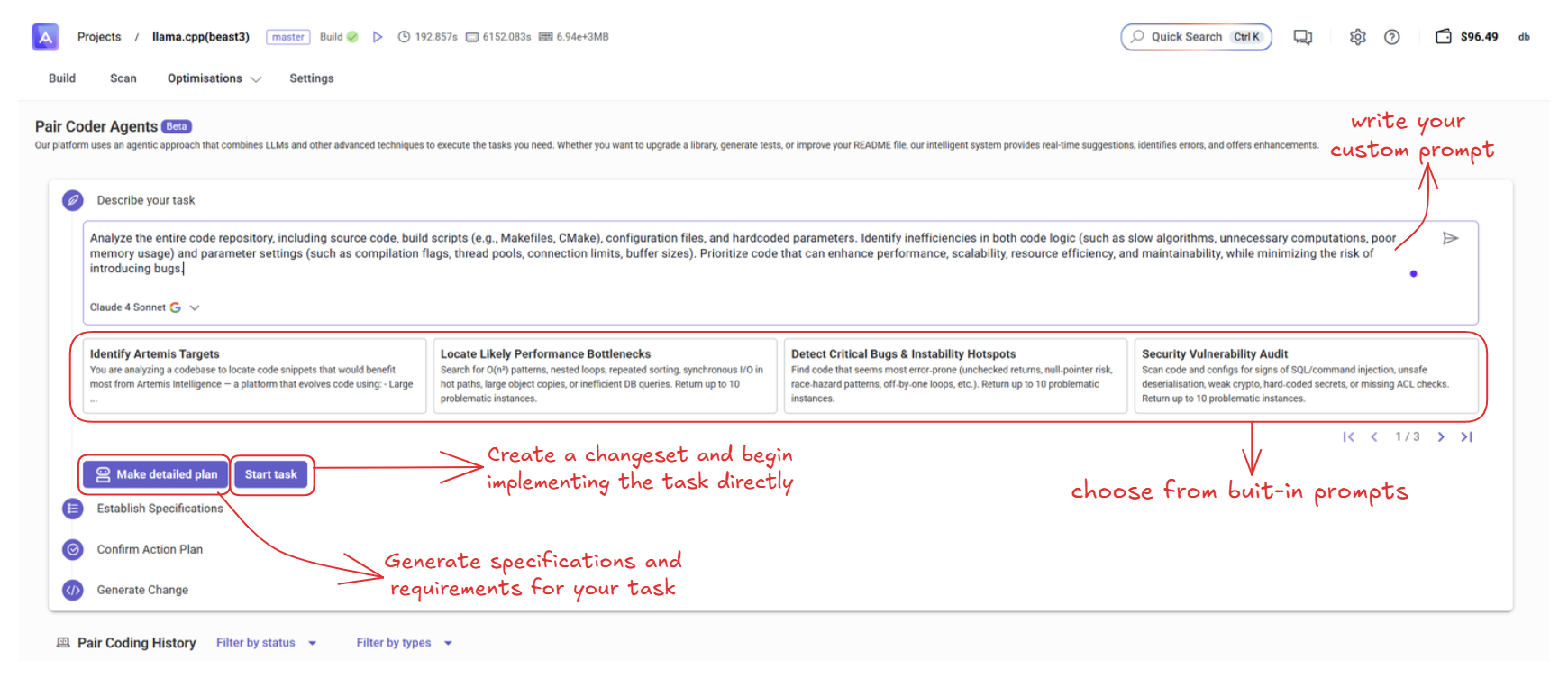
You can select either a built-in prompt or write your custom prompt.
The goal is to identify code bottlenecks and determine potential optimization targets.
If you click on start task, the process will automatically continue and generate a changeset.
Step 2: Make detailed plan
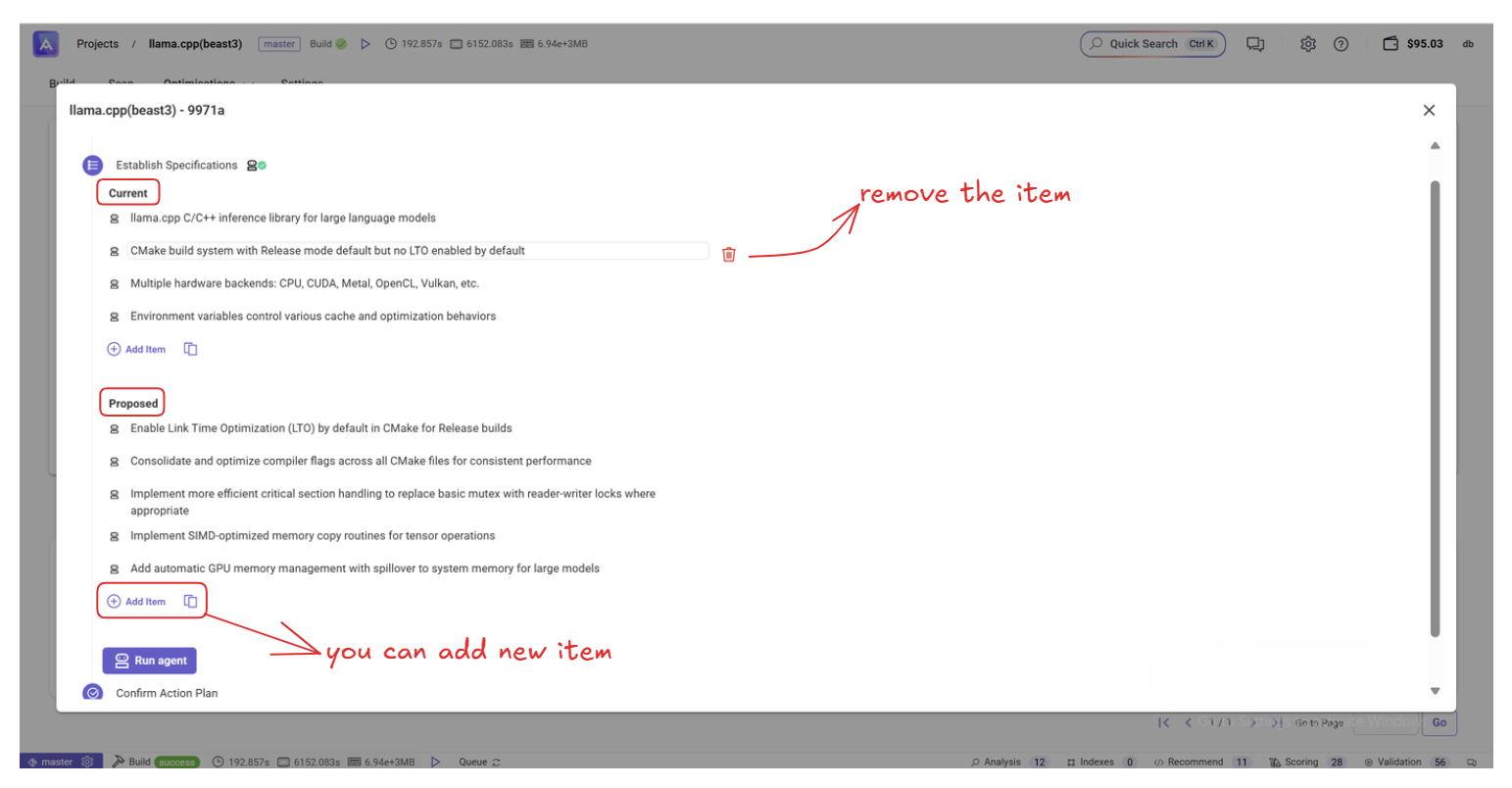
Here, you can review the current status and purpose, and add or remove items as needed.
Step 3: Confirm action plan
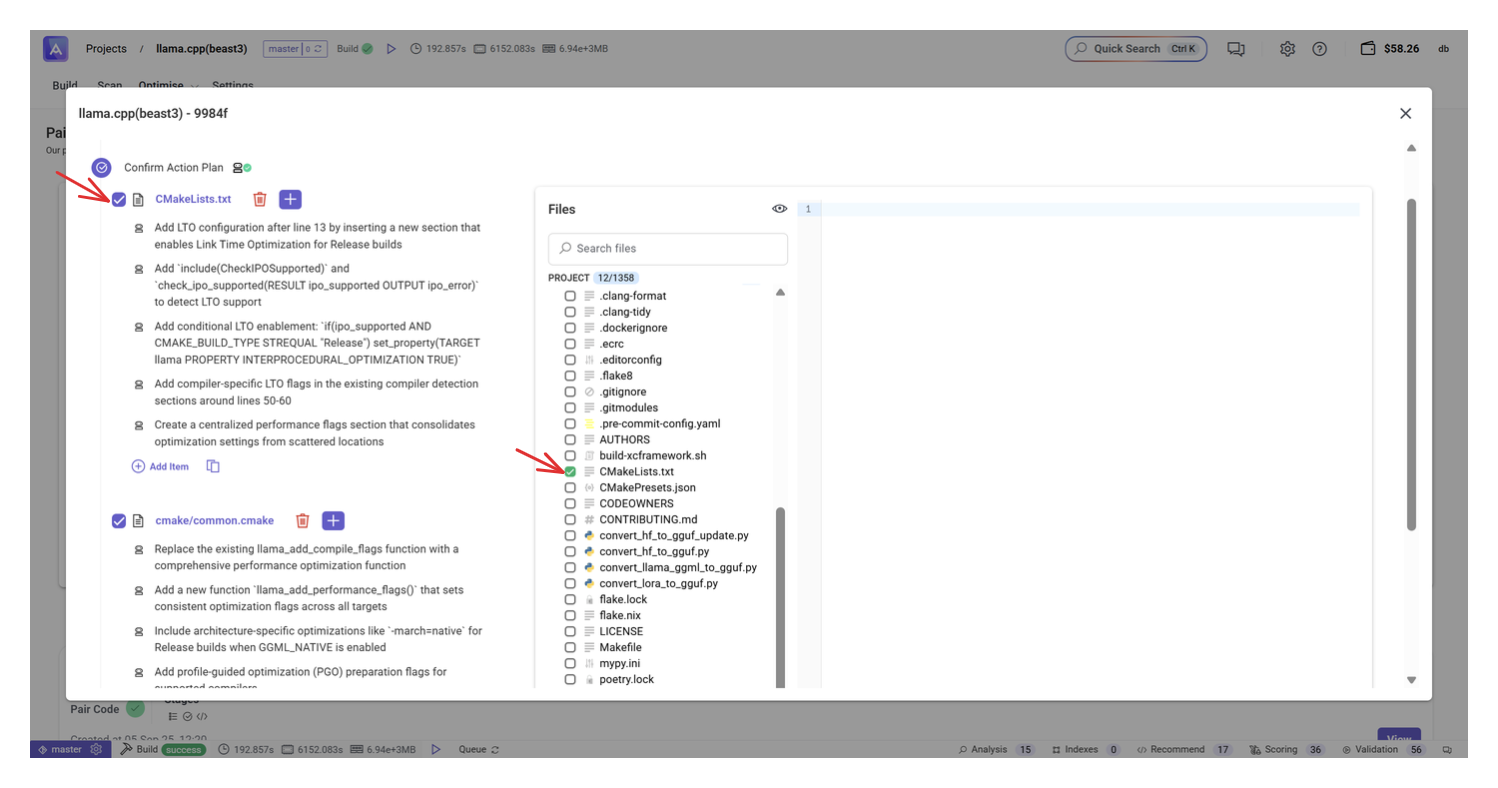
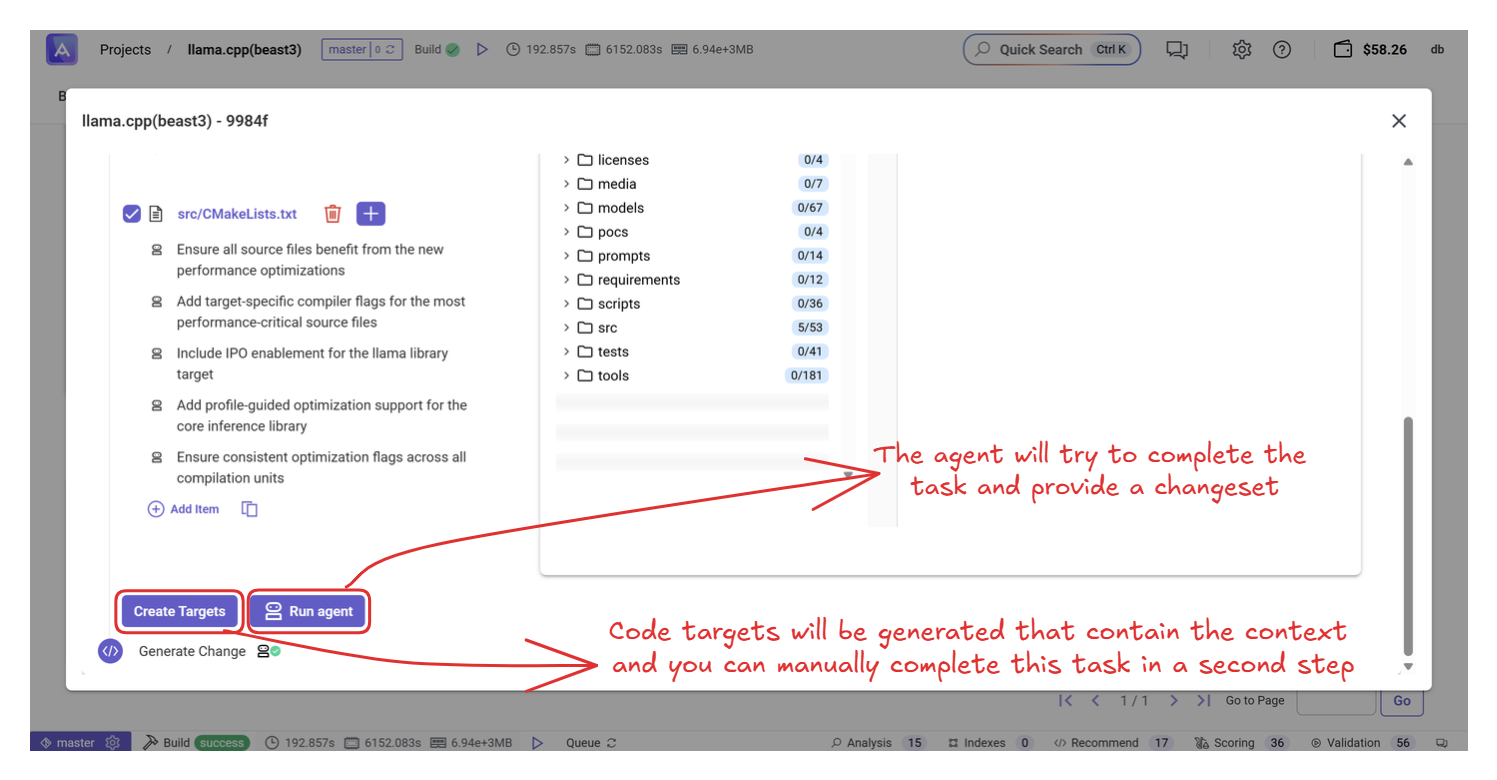
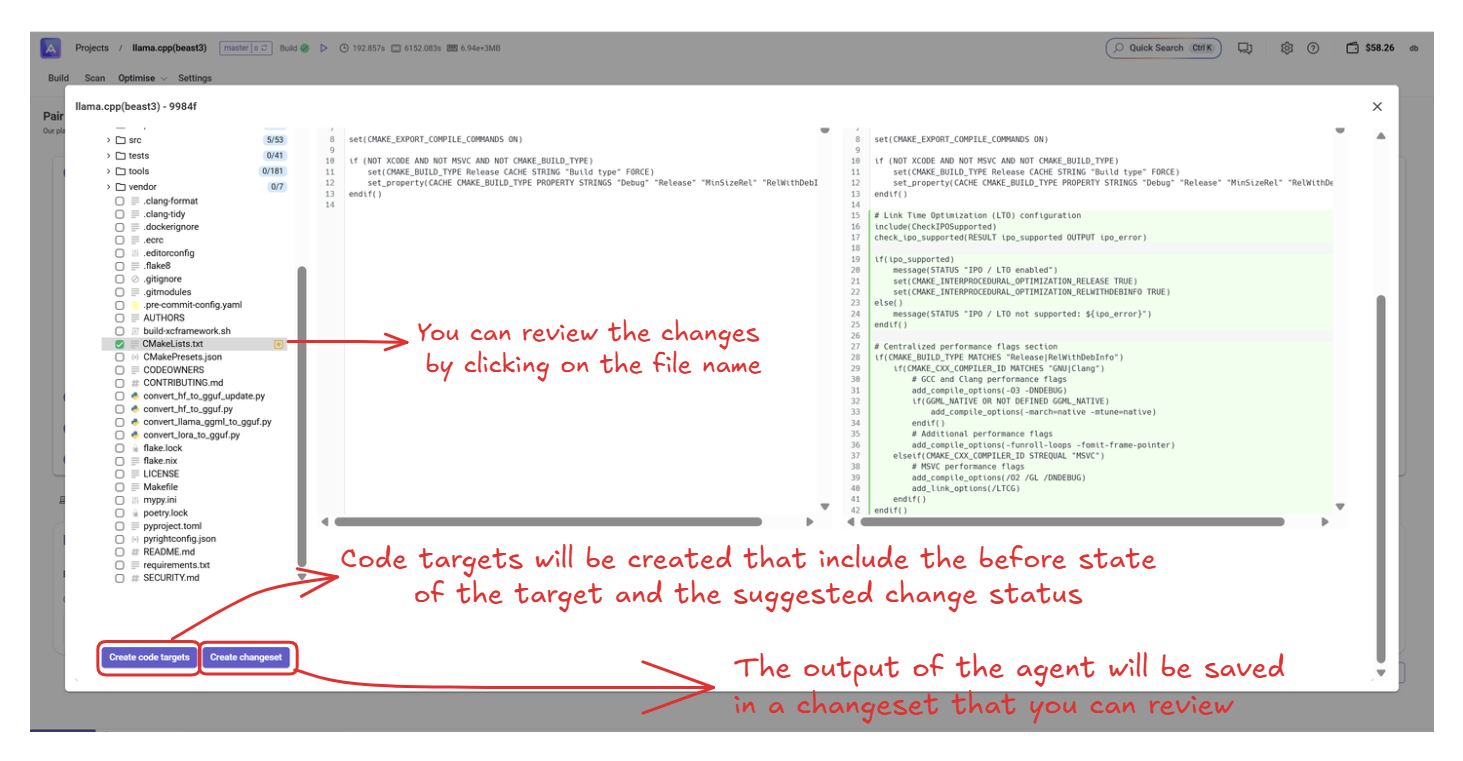
Once checked and confirmed, Artemis will automatically generate targets, which will appear in the targets panel after clicking create targets.
Step 4: Run agent
You will then see a page with the options create targets and create changeset.
Next steps:
- Evaluate target quality using Artemis scoring. See Code Scoring.
- Index your code for better context-aware suggestions. See Code Indexing.