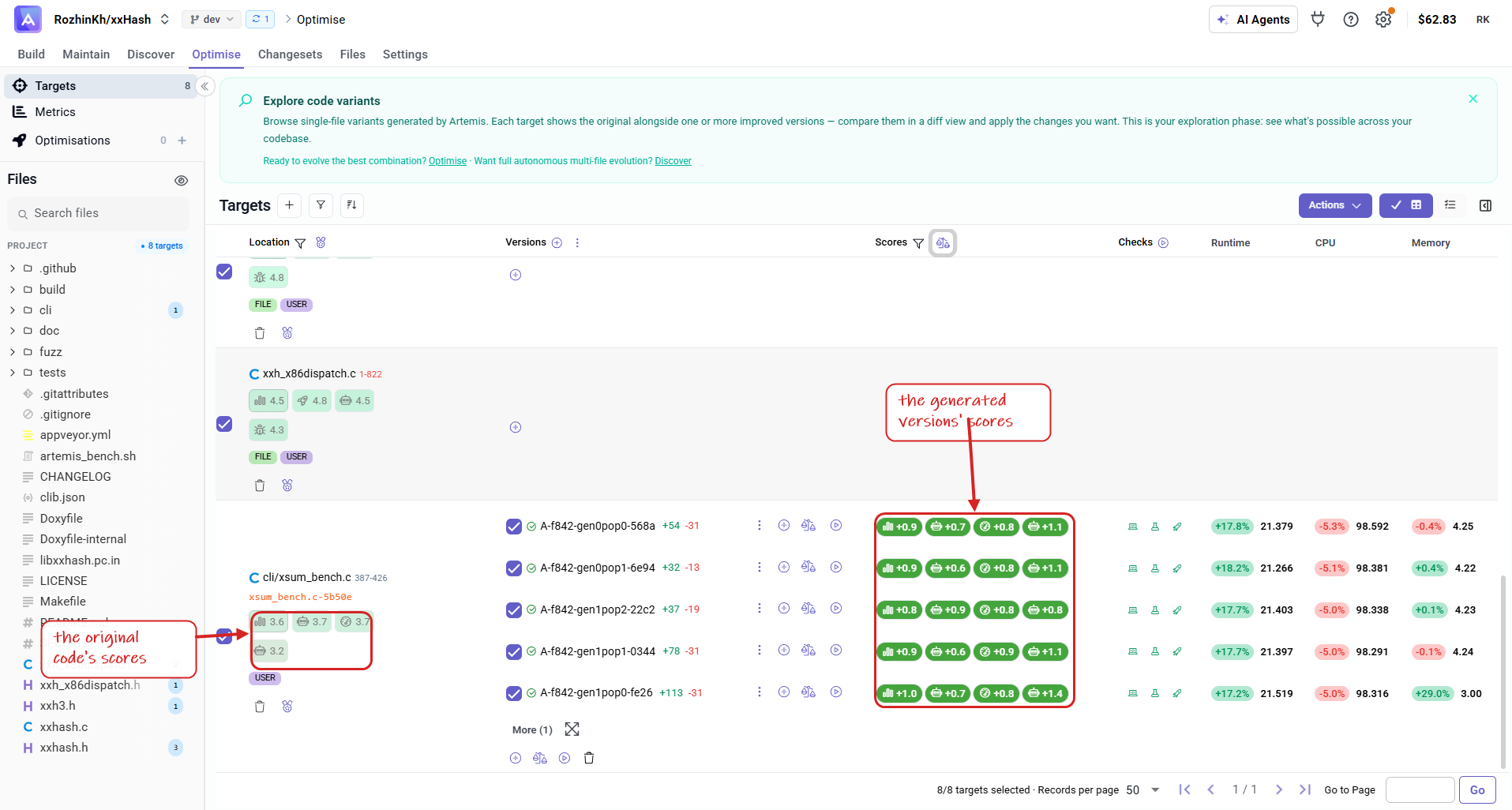
Code Scoring
You can generate new scores for different versions of a target.
This allows you to compare each version against the original and make better decisions.
Scores can be produced using LLMs or Agents, following the same process you used when scoring your original code (see Score your targets).
To start, go to the Targets section of your project and select the New Score option.
You can either use the built-in scoring criteria or define your own custom rules.
If you generated target versions using Artemis Intelligence, scores are automatically created.
Make sure your original code has been scored first.
If not, new scores cannot be generated.
If you haven't scored your original code yet, see Score your targets.
Steps to generate new scores
Step 1 : Select the New Score button.
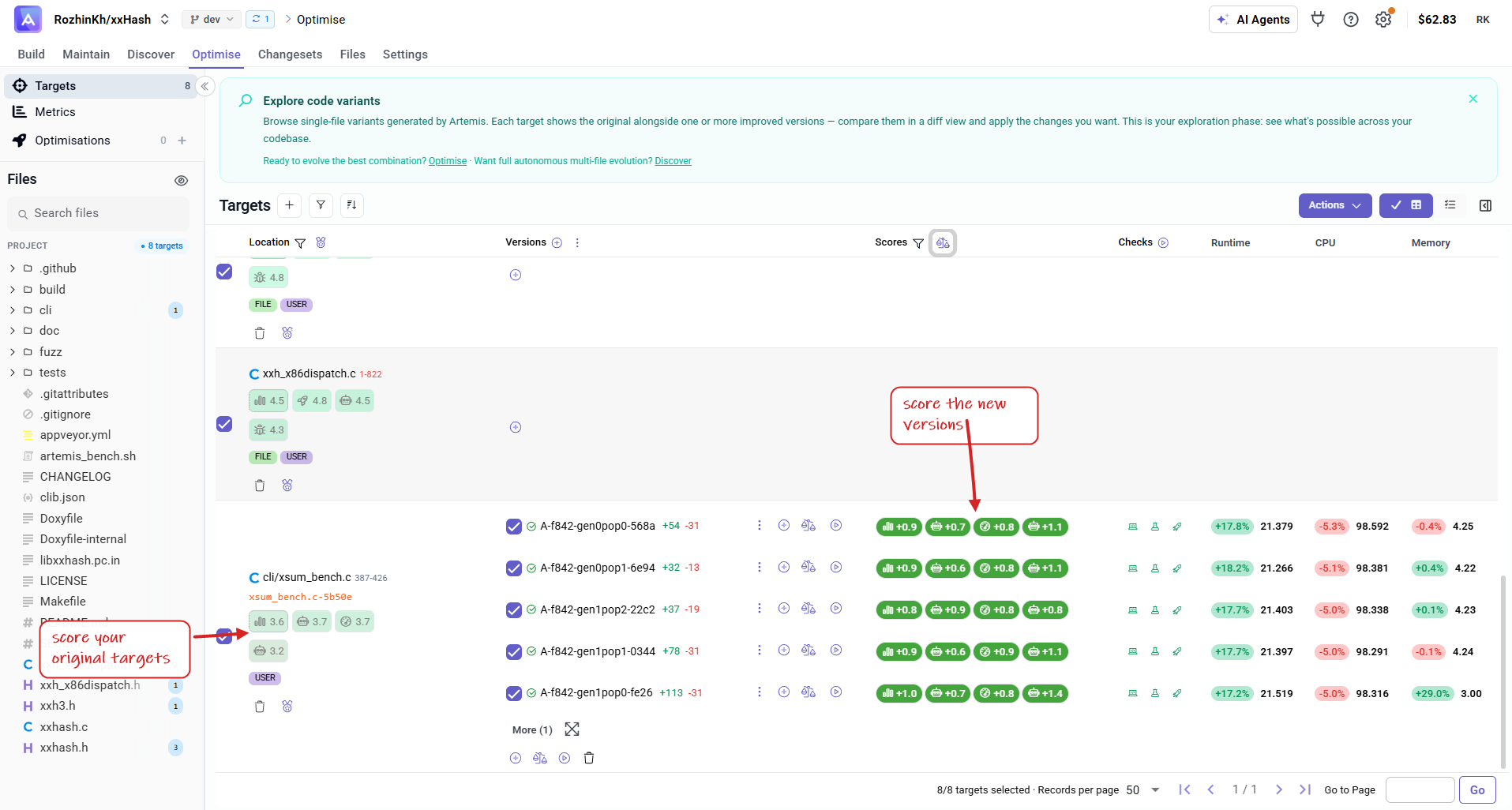
Step 2 : Configure your scoring options:
-
Choose between LLM or Agent.
-
Use built-in scoring criteria or define your own.
-
Select the model(s) to use.
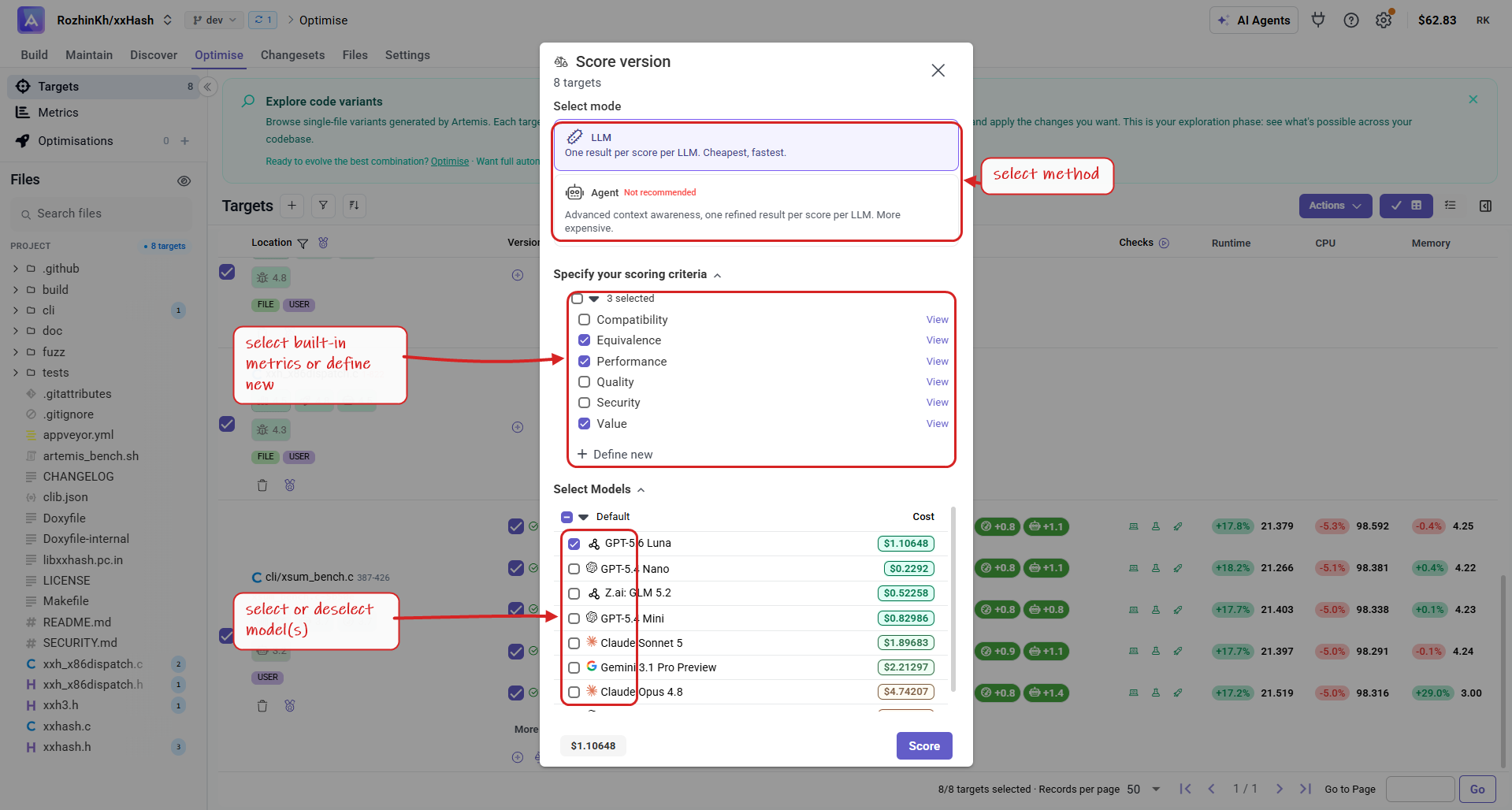
Step 3 : Click Score.
Step 4 : View your new scores in the results.