Validate New Versions
Validation ensures that generated versions not only look correct but also function as intended. Artemis provides three main validation options:
- Compile: checks if the code builds successfully
- Test: runs unit tests to verify functionality
- Benchmark: measures runtime and performance
In addition, Artemis tracks performance metrics such as runtime, CPU time, and memory usage, providing deeper insight into efficiency.
- Runtime → total execution time of the benchmark
- Memory usage → unique set size, memory exclusively used by the process.(USS)
- CPU time → actual CPU processing time consumed
Want to track domain-specific measurements too — throughput, accuracy, error rate? See Custom Metrics to add your own alongside these built-in ones.
If you haven’t set up your project’s build settings yet, see Project Settings.
How to Validate
Step 1: Select target(s)
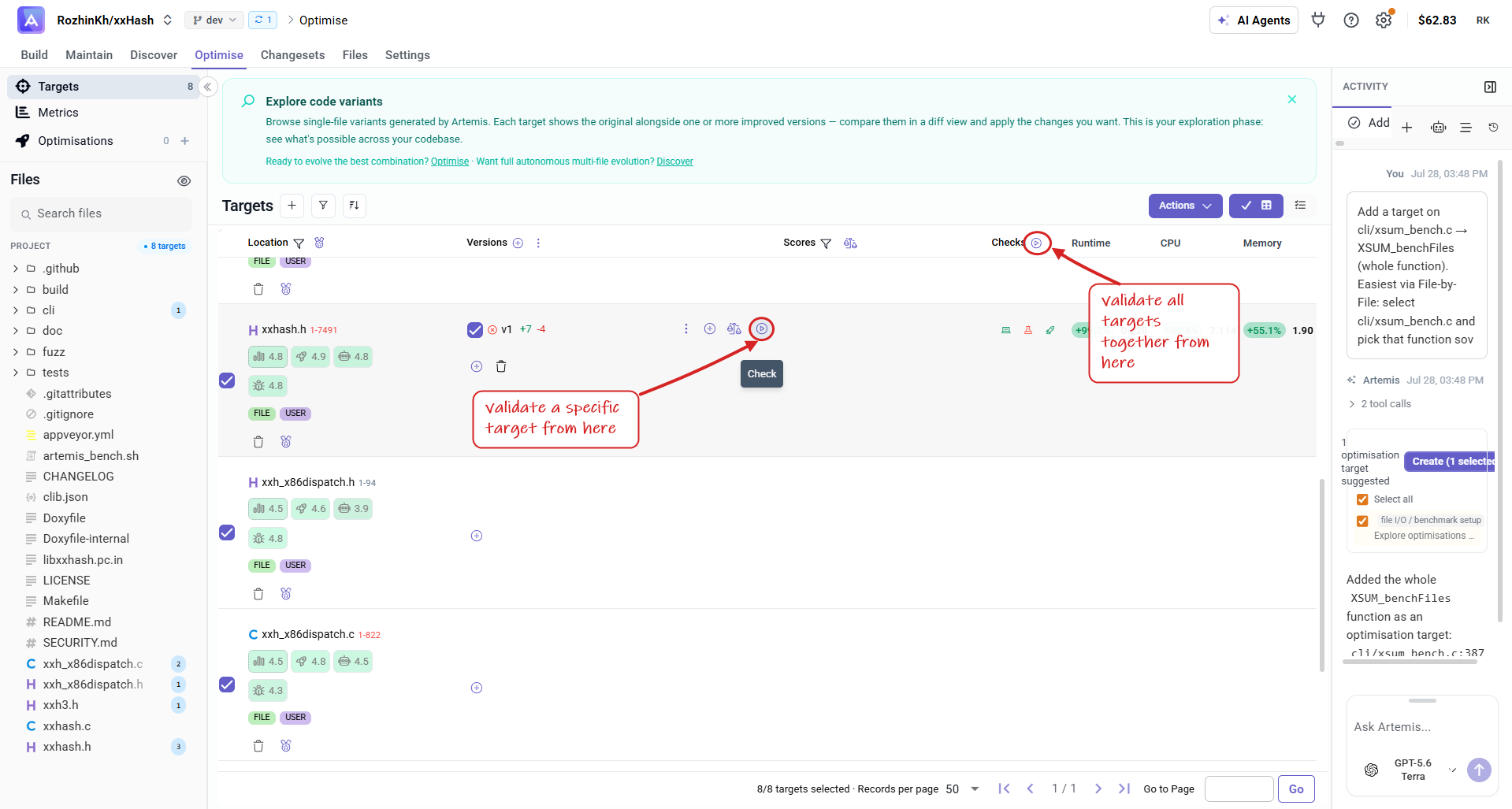
You can validate all targets at once or validate each target individually. Click the triangle button next to a version to start.
Step 2: Configure validation
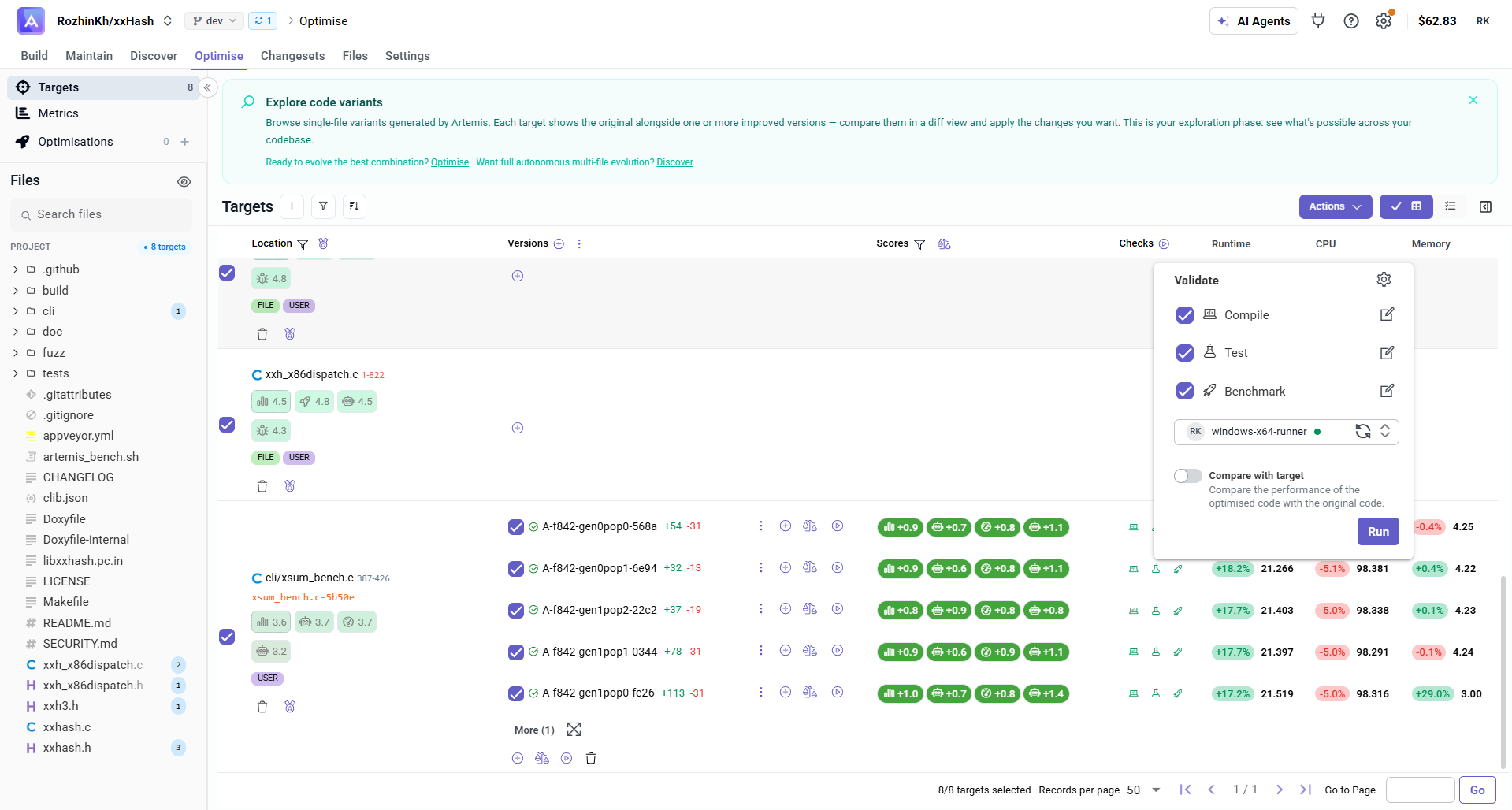
- Choose one or more options: compile, test, benchmark
- Select your preferred online runner
- (Optional) Enable Compare with Original: reruns the original code and update value of metrics.
- Rhen click on
run
Step 3: view results
- View performance metrics (runtime, CPU, memory)
- Access execution logs for detailed insights
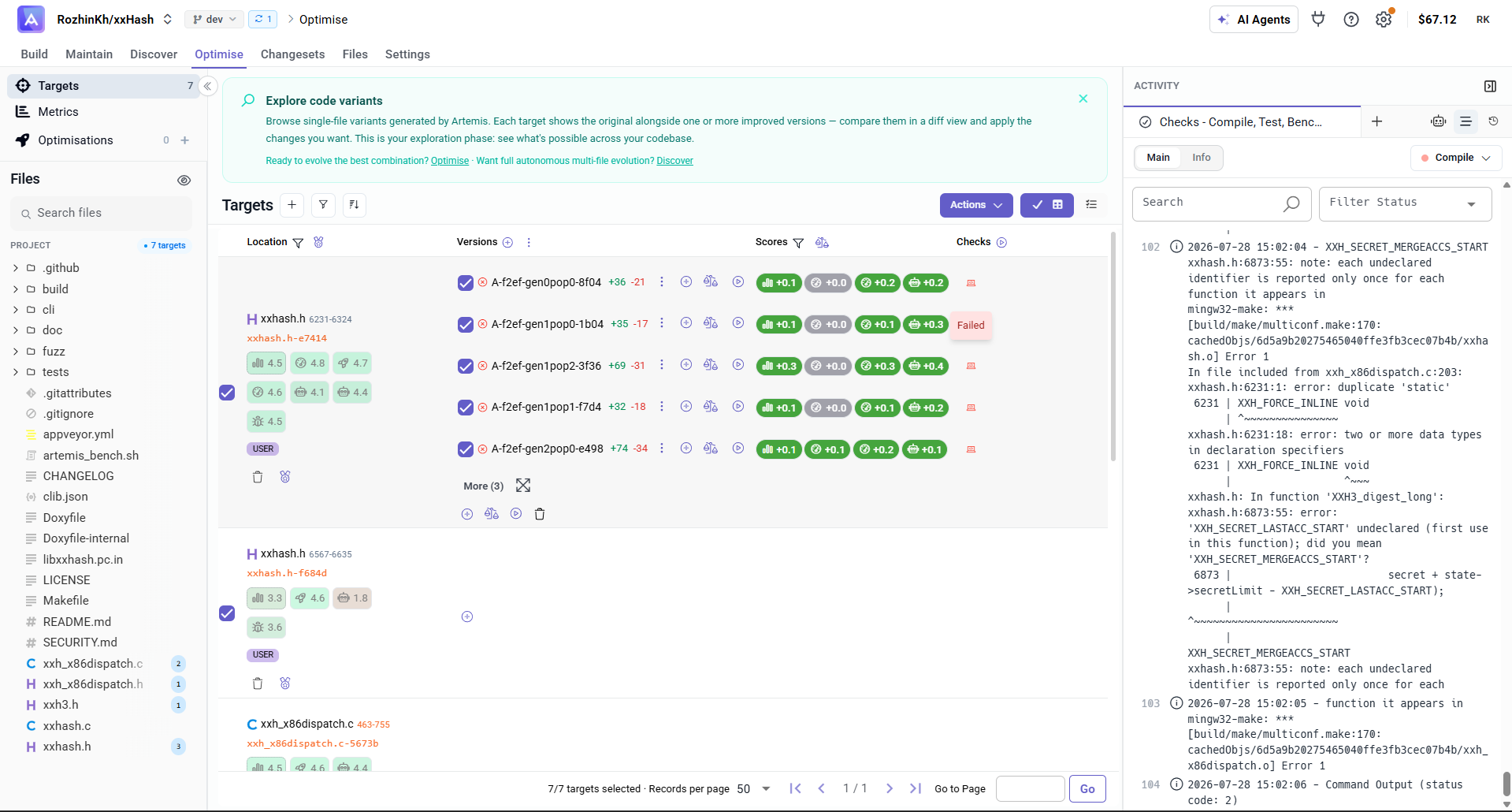
Each version has a Checks column showing the status of its Compile, Test, and Benchmark runs. Click a check to open its log in the Activity panel, where you can read the full output, search it, and filter by status.
When a check shows Failed, open its log to see exactly why — for example, a compile error in a generated version — so you can decide whether to discard that version or adjust your target.