Review and Compare
After Artemis generates optimized versions of your targets, you can review and compare them using several built-in tools.
Navigate to the Targets tab to explore all generated code variations.
Click on any version to open its details and access the following features:
-
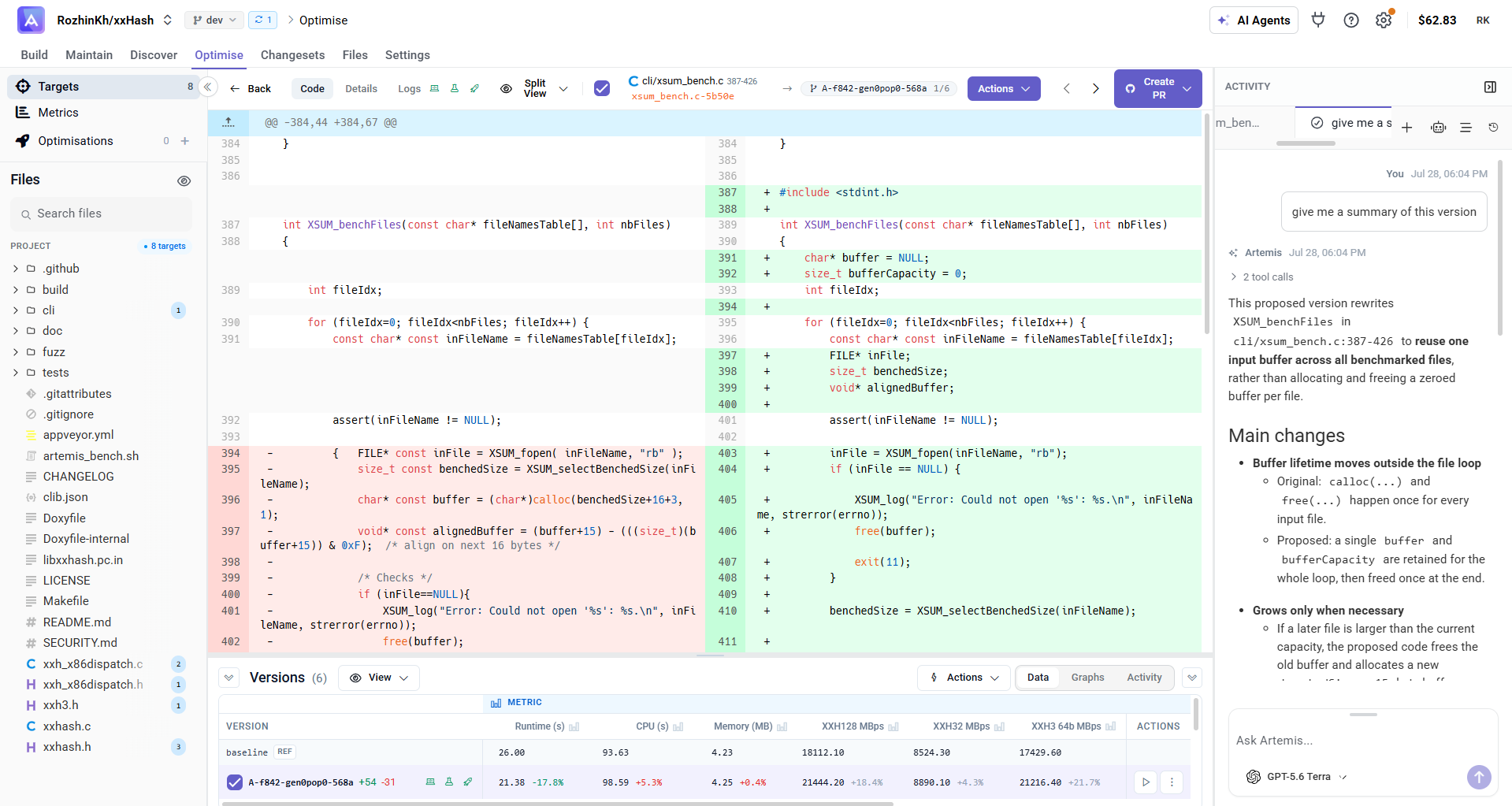
Side-by-side comparison with the original code.
-
Artemis Chat: ask questions or request clarifications about how or why a version was produced.
-
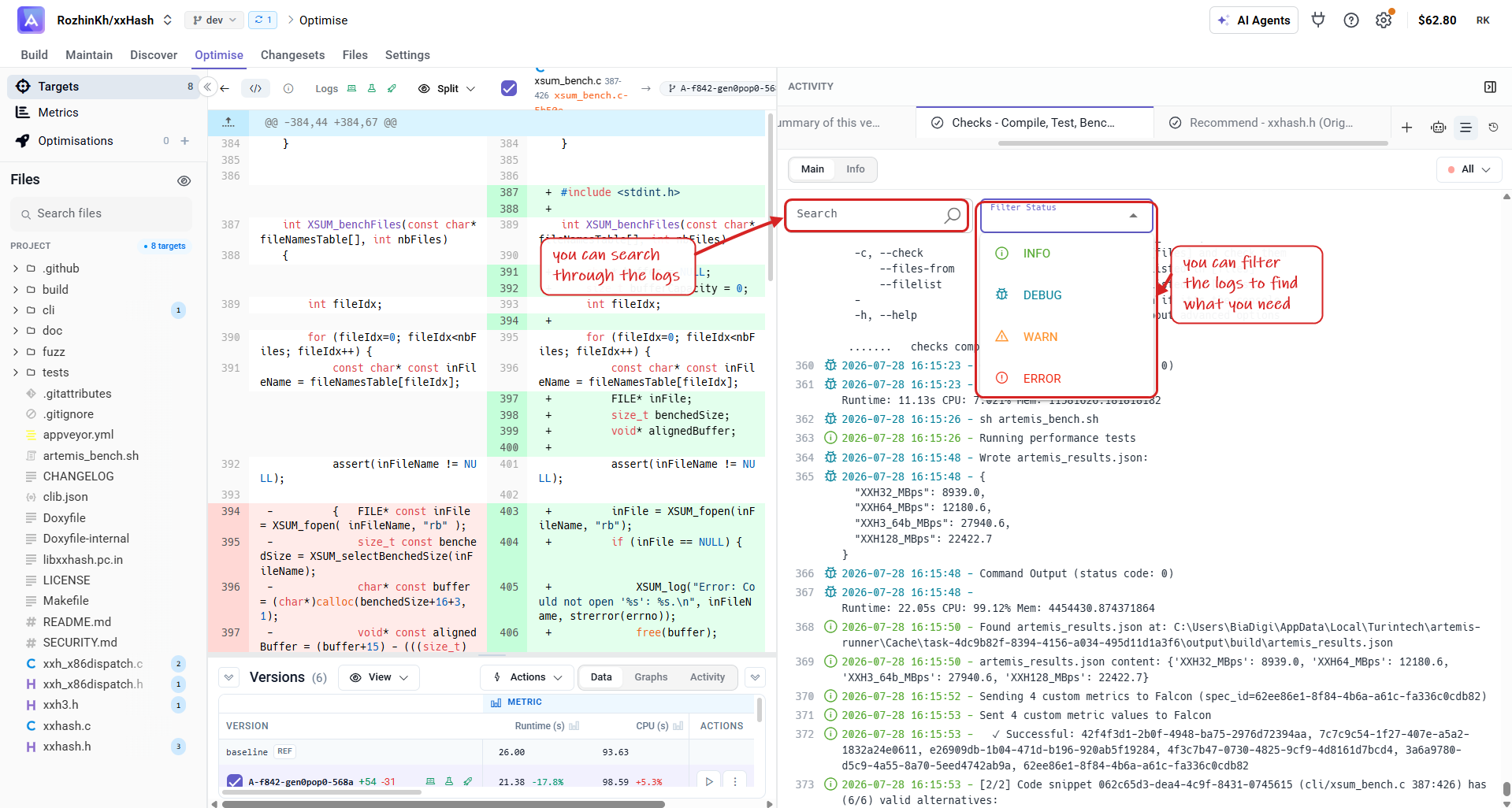
Log filtering: quickly narrow down relevant outputs.
(Execution logs are available only when you validate a version or run it internally with Artemis Intelligence.)
Search the output or filter by status (Info, Debug, Warn, Error) to focus on what matters.
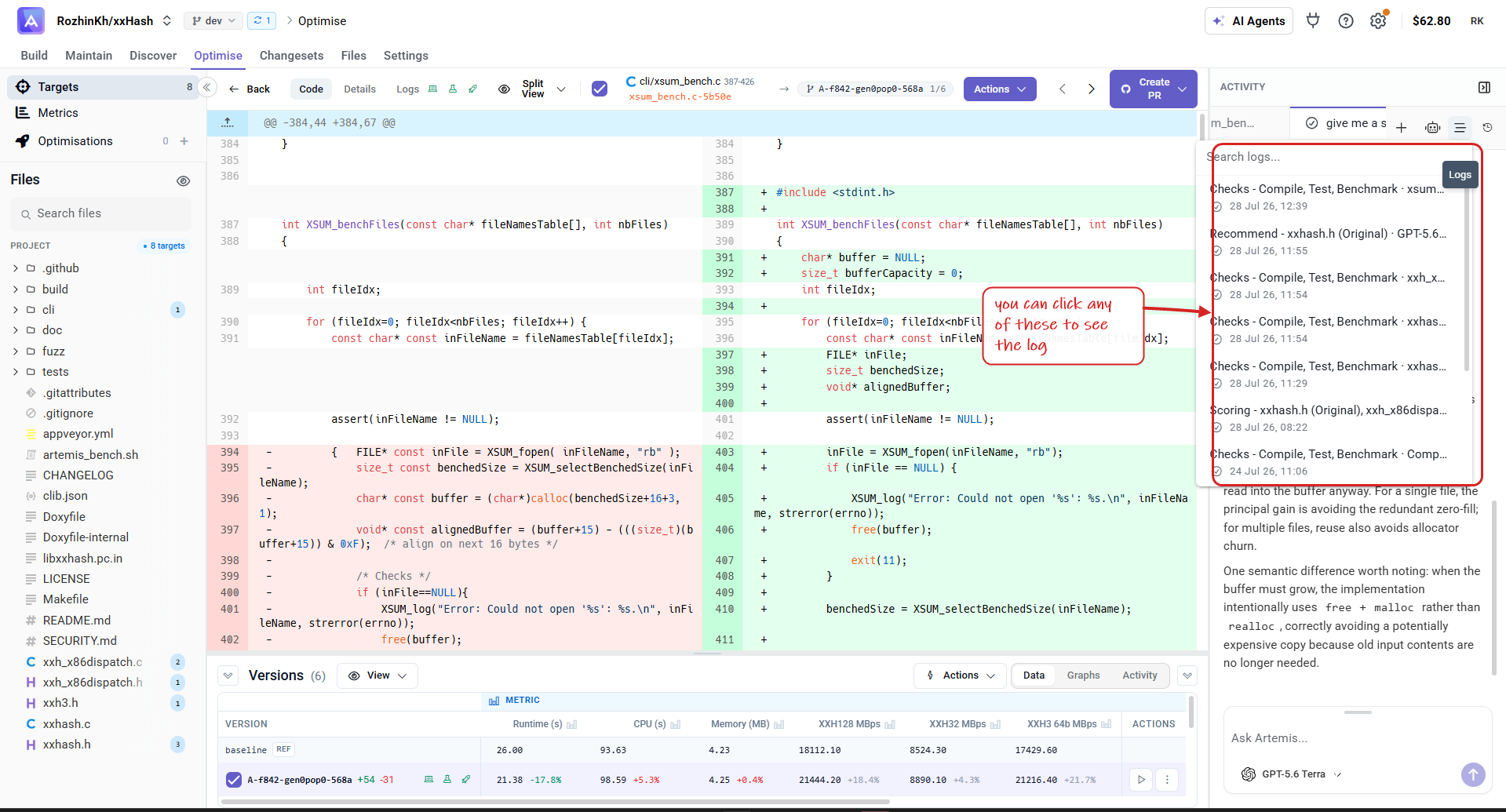
Every log for the version is listed in the Logs panel — click any entry to open it.
-
Performance & score data: compare every version's measured results side by side.
Open the Data tab to see all versions against the
baseline— each cell shows the value and its % change.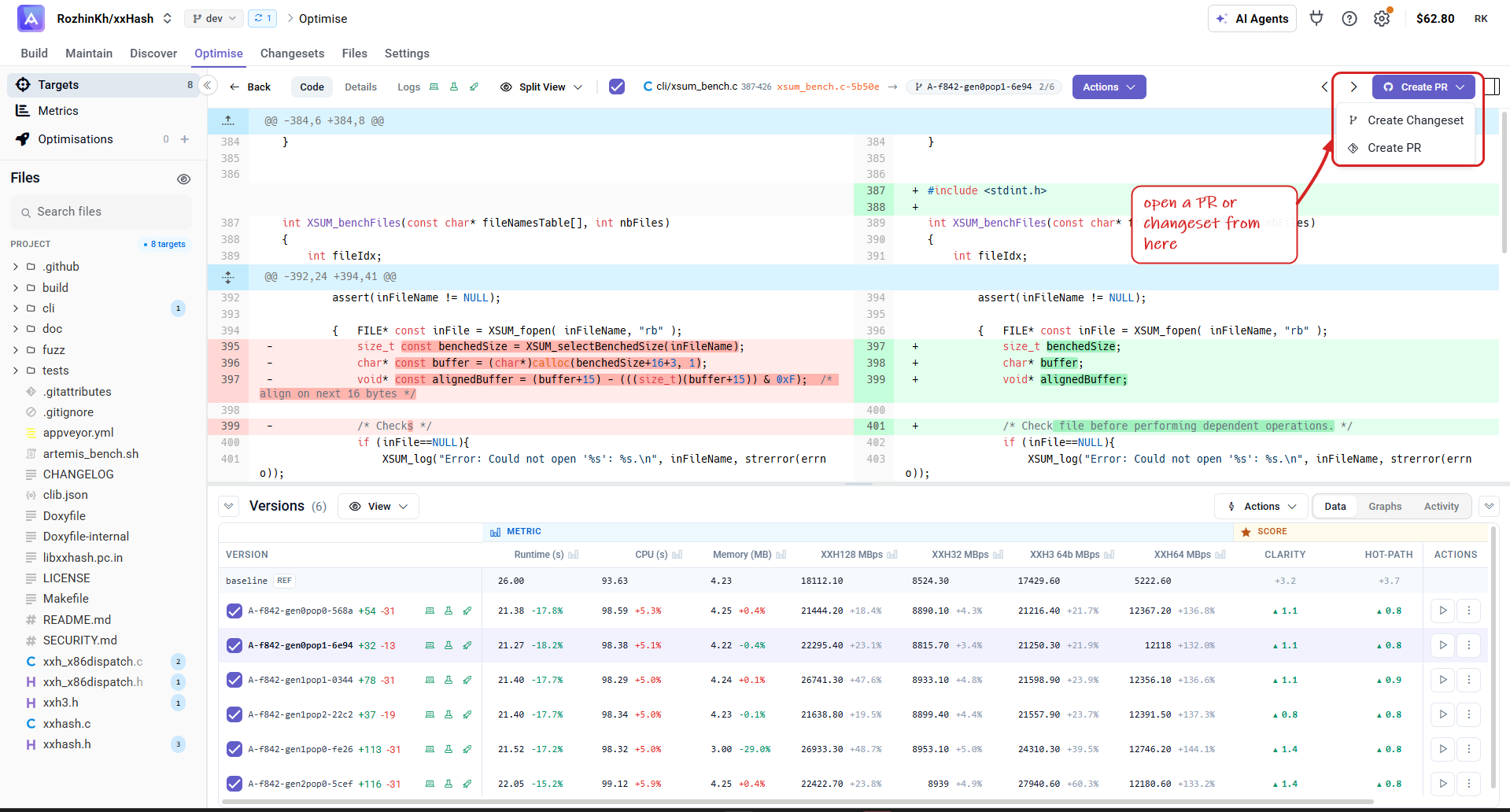
- Runtime / CPU / Memory — measured execution time, CPU time and peak memory (lower is better).
- XXH128 / XXH32 / XXH3 64b / XXH64 MBps — your custom throughput metrics, one per algorithm (higher is better).
- Clarity / Hot-path — quality scores for the version (higher is better).
Once you've chosen the best version, use Create PR to package it — Create Changeset to combine versions across targets, or Create PR to open a pull request directly. See Changesets for the full flow.
Next steps:
- You can start making optimization.
- You can make a changeset with your desired combination of versions.