Chat with Agent
Chat with Agent lets you have an open conversation with Artemis about your codebase. Before you commit to any targets — or let the agent change anything — you can ask questions and get answers, so you understand where the real opportunities are first.
How it works
In the Build tab, open the agent and switch to Chat mode. Chat is for exploring: you ask, Artemis answers, and nothing is changed until you decide to act (by moving to Plan or Code).
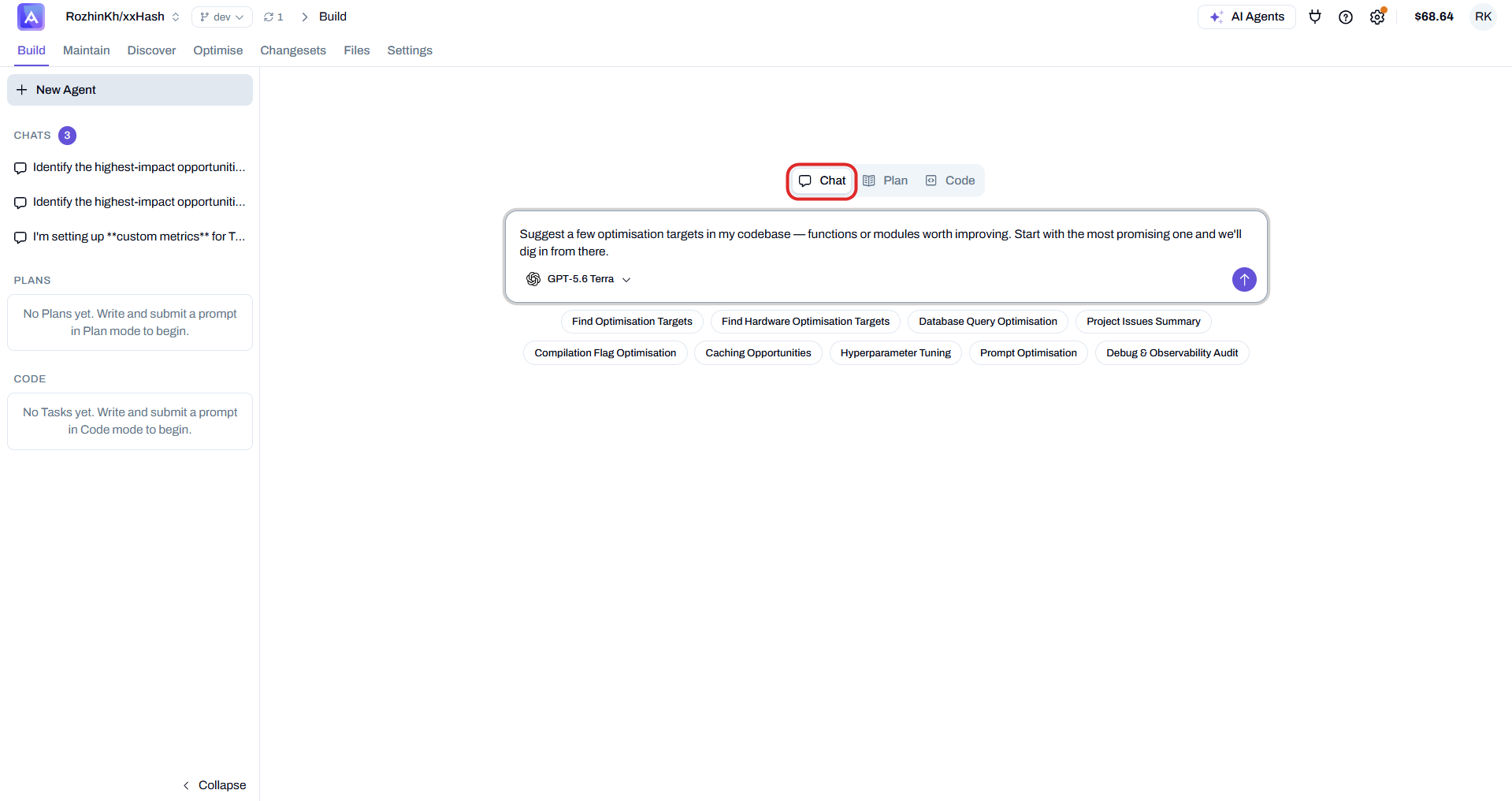
Type your question in your own words, or pick one of the default prompts — Find Optimisation Targets, Caching Opportunities, Compilation Flag Optimisation, and more — to get started quickly.
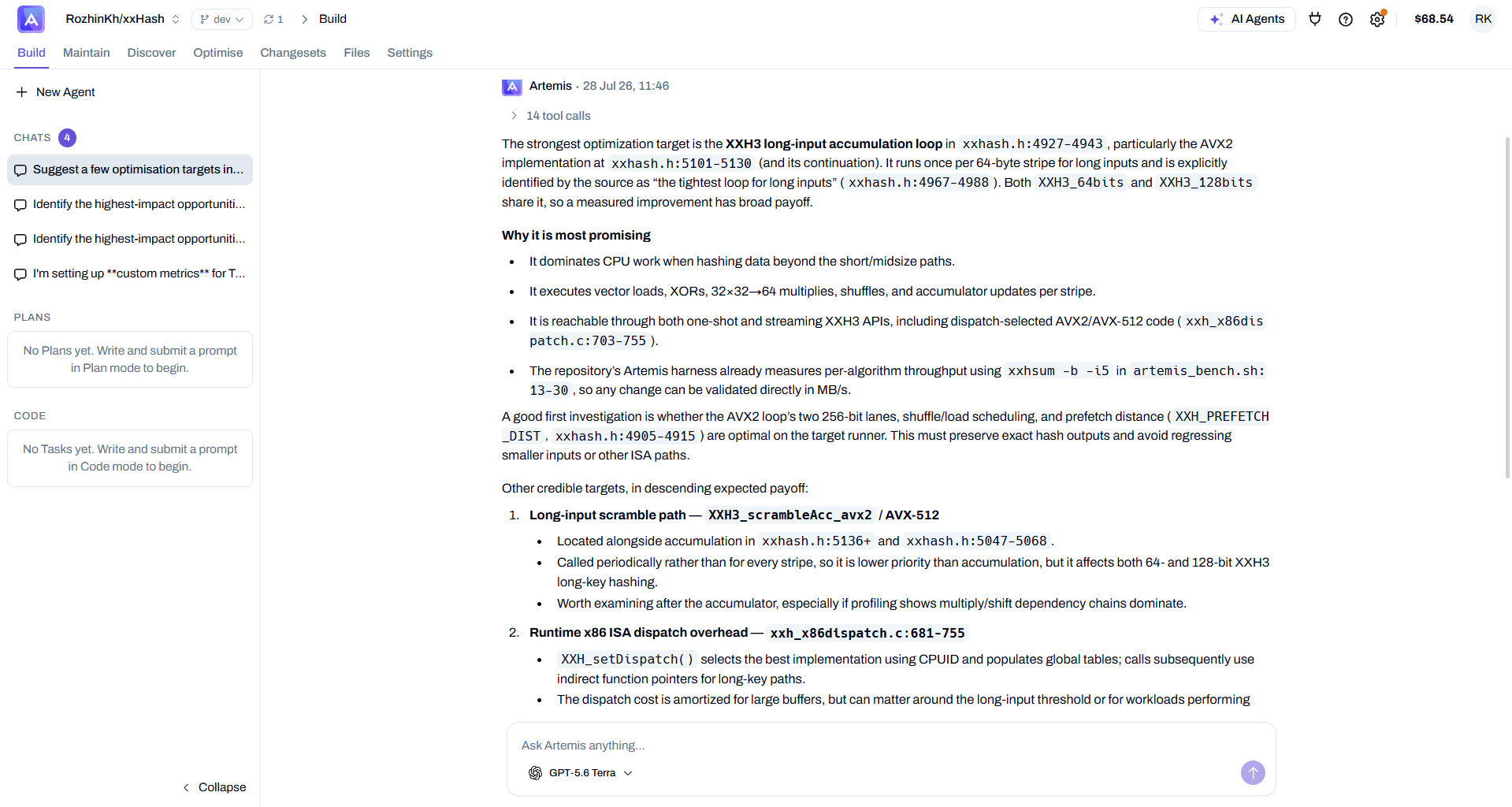
Artemis reads the relevant code and replies with a detailed, grounded answer, citing the exact files and line ranges it's referring to. This is the same purpose it has always served: check the codebase before doing anything, so your next step is informed rather than a guess.
When to use it
- You want to explore and understand your codebase before committing to a targeting approach
- You have questions about specific performance issues and want the agent's input
- You prefer a conversational, iterative workflow over an automated scan
Next Steps
Once you've pinned down the areas worth optimising:
- Score your targets to prioritise them
- Generate new code versions